Skip to content
View in the app

A better way to browse. Learn more.

BariatricPal

A full-screen app on your home screen with push notifications, badges and more.

To install this app on iOS and iPadOS
  1. Tap the Share icon in Safari
  2. Scroll the menu and tap Add to Home Screen.
  3. Tap Add in the top-right corner.
To install this app on Android
  1. Tap the 3-dot menu (⋮) in the top-right corner of the browser.
  2. Tap Add to Home screen or Install app.
  3. Confirm by tapping Install.
  • Appearance

Join BariatricPal free

  • Ask your own questions
  • Reply and follow topics
  • Message other members
  • No cost, no spam

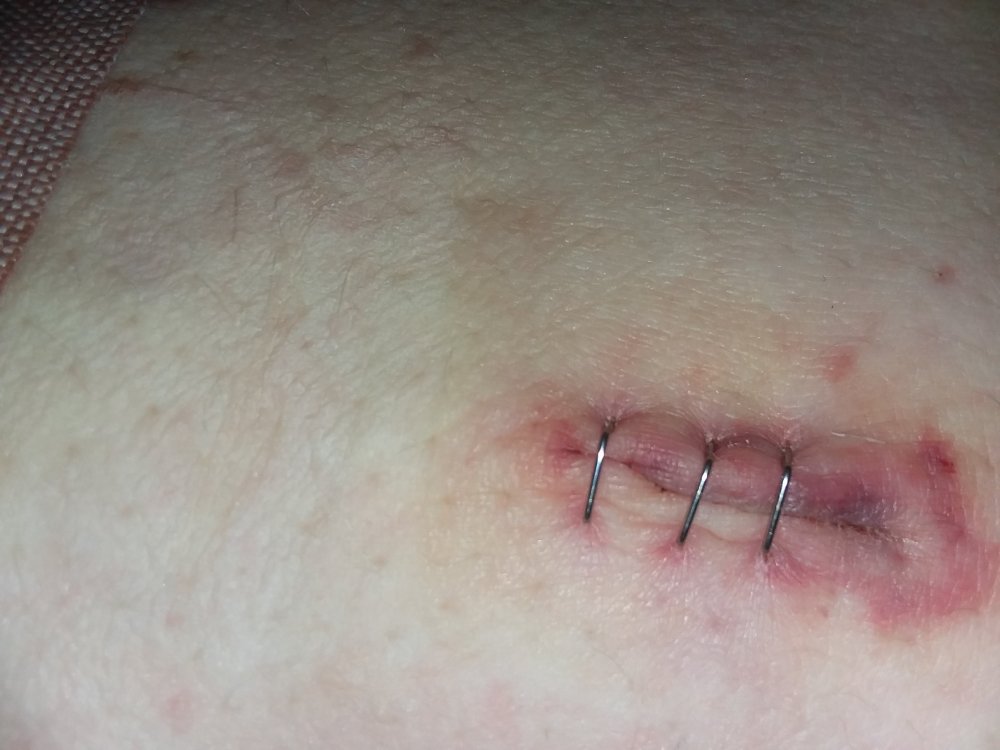
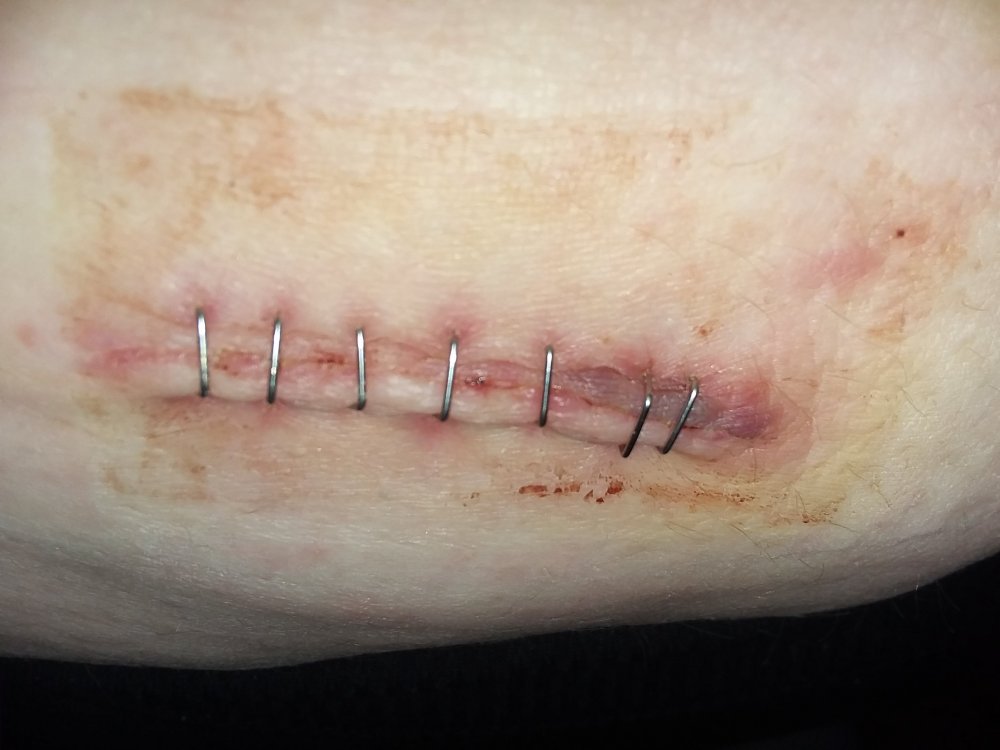
Is my incision infected?

  • Replies 6
  • Views 706
  • Created
  • Last Reply

Top Posters In This Topic

Most Popular Posts

  • Another vote here for it looks fine. If it's infected, you'd have yellow or white looking puss oozing, or if clear or cloudy fluid leaks from the wound to the point that it saturates any dressing yo

  • Myhorseisfattoo
    Myhorseisfattoo

    Nope.

Posted Images

Featured Replies

Another vote here for it looks fine. If it's infected, you'd have yellow or white looking puss oozing, or if clear or cloudy fluid leaks from the wound to the point that it saturates any dressing you put on it, that would be a big sign of an infection. I see none of that in your picture. You can expect your wound to be red for at least six months after surgery--probably longer. You can start applying mederma or some other scar gel on the wound in a month, which will help with the redness and reduce the appearance of scaring.

Yours looks just like a normally heali,g wound with staples, look up Lusty Draconian Maid's , now HER'S doesn't look like it's healing very well and has got infected.
And when they take your staples out it might sting and hurt, but when mine were removed from my right knee, maybe it was because of static electricity but I felt a little electric jolt as each pinged open and off! Anybody else ever have that?

Join the conversation

You can post now and register later. If you have an account, sign in now to post with your account.

Guest
Reply to this topic...

Account

Navigation

Search

Search

Configure browser push notifications

Chrome (Android)
  1. Tap the lock icon next to the address bar.
  2. Tap Permissions → Notifications.
  3. Adjust your preference.
Chrome (Desktop)
  1. Click the padlock icon in the address bar.
  2. Select Site settings.
  3. Find Notifications and adjust your preference.