




Start here
Where are you in your journey?
Choose the path that fits today. We’ll take you to the most useful discussions.
- GLP-1 medication Zepbound, Wegovy, access, side effects, progress, and support.
- Before surgery Compare procedures, plan ahead, and get honest pre-op answers.
- Post-op Recovery, food stages, symptoms, and support.
- Long-term Regain, labs, habits, and life after the honeymoon.
- Revision Explore revision options, complications, and next steps.
10 months post op!
- Replies 4
- Views 829
- Created
- Last Reply
Featured Replies
Archived
This topic is now archived and is closed to further replies.
Best decision ever. Had some complications like nausea and constipation for about 4 months but feeling much better. Left pic was 1 month post op right pic was taken today 10 months post op. Start weight 388 todays weight 259
Keep positive everyone and have faith in yourself. Dont compare yourself to others weight loss. U can do this! Xoxo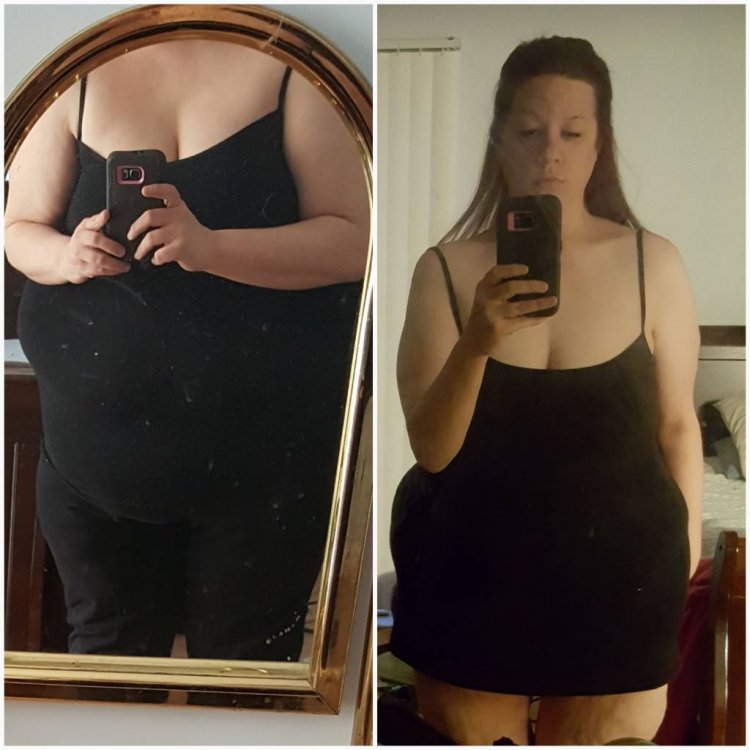
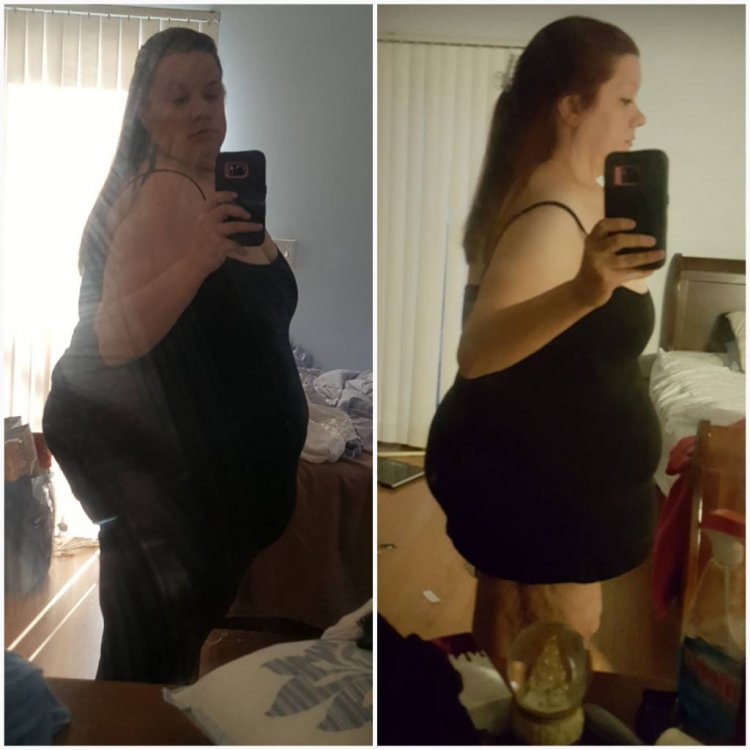
Sent from my SM-G920P using BariatricPal mobile app