Skip to content
View in the app

A better way to browse. Learn more.

BariatricPal

A full-screen app on your home screen with push notifications, badges and more.

To install this app on iOS and iPadOS
  1. Tap the Share icon in Safari
  2. Scroll the menu and tap Add to Home Screen.
  3. Tap Add in the top-right corner.
To install this app on Android
  1. Tap the 3-dot menu (⋮) in the top-right corner of the browser.
  2. Tap Add to Home screen or Install app.
  3. Confirm by tapping Install.

10 month update, 129 pounds down with pictures

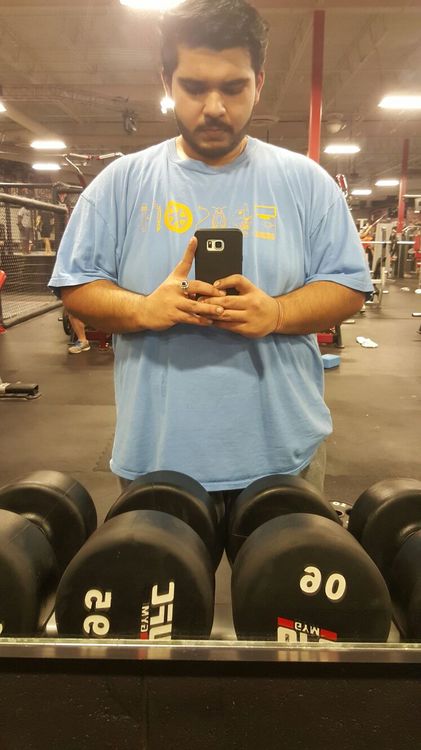
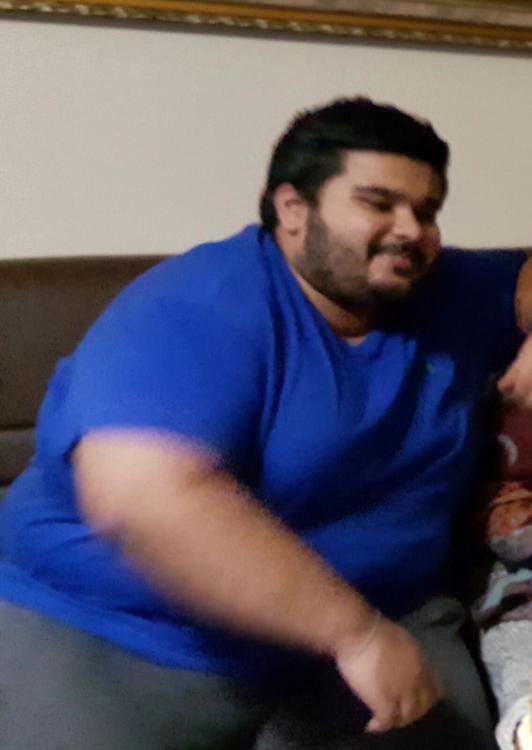
Just keep pushing! There will be days where you will think this was not worth it. Look through your old pics and remember how you felt at the time. I know during this time of my life, I was at my biggest, very depressed, and completely heartbroken. This surgery has been a great tool the kick started all the changes in my life. I will forever stay humble.

Weeks out: 24

SW: 371

CW: 240

WL: 131lbs

WhatsApp Image 2017-02-09 at 2.17.27 AM.jpeg

WhatsApp Image 2017-02-09 at 2.17.41 AM.jpeg

Edited by sanjumelts

  • Replies 29
  • Views 2.4k
  • Created
  • Last Reply

Featured Replies

Congrats! You're looking great

Looking good!! Keep up the hard work :D

Kate

Great work, I am glad you are feeling so good.

WOW!!! That's fantastic!!!!!! Such a good job, hard work and dedication. You rock!

U look great [emoji3][emoji3][emoji3][emoji3]

Keep up the great work! You look wonderful!


Just keep pushing! There will be days where you will think this was not worth it. Look through your old pics and remember how you felt at the time. I know during this time of my life, I was at my biggest, very depressed, and completely heartbroken. This surgery has been a great tool the kick started all the changes in my life. I will forever stay humble.


Weeks out: 24
SW: 371
CW: 240
WL: 131lbs


589c1b987ab7e_WhatsAppImage2017-02-09at2_17_27AM.thumb.jpeg.0861121645145b58defad7f6b12cfb01.jpeg
589c1ba163e19_WhatsAppImage2017-02-09at2_17_41AM.thumb.jpeg.cb8f2ab032c9e22ed57d6c978e772a33.jpeg

Great job and congrats!

Sent from my SM-G530T1 using the BariatricPal App

Archived

This topic is now archived and is closed to further replies.

Account

Navigation

Search

Search

Configure browser push notifications

Chrome (Android)
  1. Tap the lock icon next to the address bar.
  2. Tap Permissions → Notifications.
  3. Adjust your preference.
Chrome (Desktop)
  1. Click the padlock icon in the address bar.
  2. Select Site settings.
  3. Find Notifications and adjust your preference.