




Start here
Where are you in your journey?
Choose the path that fits today. We’ll take you to the most useful discussions.
- GLP-1 medication Zepbound, Wegovy, access, side effects, progress, and support.
- Before surgery Compare procedures, plan ahead, and get honest pre-op answers.
- Post-op Recovery, food stages, symptoms, and support.
- Long-term Regain, labs, habits, and life after the honeymoon.
- Revision Explore revision options, complications, and next steps.
Starting Preop liquid diet today...one week till surgery[emoji3]
- Replies 3
- Views 480
- Created
- Last Reply
Featured Replies
Archived
This topic is now archived and is closed to further replies.
Can't believe the time has come and the foooood has stopped. I have started my liquid diet today and must say the premier protein shakes from Costco are not too bad. I loaded up on steak and salad the last week as I know these are foods I may not be able to tolerate after surgery...diary of a foodie I know. I start at 330 lbs and have a goal of Onederland. My life will be forever changed and I am ready for that change. I am ready to feel comfortable in my own skin. I am ready to be able to ride an airplane and not worry if the seatbelt will fit. I am ready to ride bumper boats and go carts with my son And not feel ashamed that I am over the weight limit. I am posting my picture today so I may have it as a reminder of what I will not go back to. I may be reaching out for encouragement and advice as I head into this journey please bare with me as I learn the next chapter of my life[emoji4]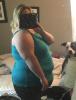
Edited by mkh1399