Skip to content
View in the app

A better way to browse. Learn more.

BariatricPal

A full-screen app on your home screen with push notifications, badges and more.

To install this app on iOS and iPadOS
  1. Tap the Share icon in Safari
  2. Scroll the menu and tap Add to Home Screen.
  3. Tap Add in the top-right corner.
To install this app on Android
  1. Tap the 3-dot menu (⋮) in the top-right corner of the browser.
  2. Tap Add to Home screen or Install app.
  3. Confirm by tapping Install.

NSV ::this dress(pics) and

  • Popular Post

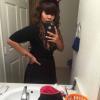
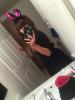
I've had this dress for a year and I can finally fit it. This was my first time participating in my children's harvest carnival. I've always just volunteered but never dressed up. My girls were so excited post-260396-14458127185052_thumb.jpgpost-260396-14458128174885_thumb.jpg I was a bunny lol. A bow tie, tail, and ears.
  • Replies 12
  • Views 908
  • Created
  • Last Reply

Featured Replies

adorable!

Very cute!

  • Author

You look great! I love finally being able to fit in "goal clothes" that I've had forever. Congrats!

Thank you so much. It's so comfortable I still put pants on under but it was a choice ..

Very cute![/quote Thank you.

And a cute bunny at that! You look great!

  • Author

Very cute!

Thank you!
  • Author

@@lachellove - Halloween NSV!!!!

you looked great!

Thank you so much.

You look very nice! Congrats!

Congratulations!! My daughter is also very excited about the new found energy I have.

Happy Halloween!

CJ

Archived

This topic is now archived and is closed to further replies.

Account

Navigation

Search

Search

Configure browser push notifications

Chrome (Android)
  1. Tap the lock icon next to the address bar.
  2. Tap Permissions → Notifications.
  3. Adjust your preference.
Chrome (Desktop)
  1. Click the padlock icon in the address bar.
  2. Select Site settings.
  3. Find Notifications and adjust your preference.