




Start here
Where are you in your journey?
Choose the path that fits today. We’ll take you to the most useful discussions.
- GLP-1 medication Zepbound, Wegovy, access, side effects, progress, and support.
- Before surgery Compare procedures, plan ahead, and get honest pre-op answers.
- Post-op Recovery, food stages, symptoms, and support.
- Long-term Regain, labs, habits, and life after the honeymoon.
- Revision Explore revision options, complications, and next steps.
I have some protein & vitamins to give away
- Replies 16
- Views 2.3k
- Created
- Last Reply
Featured Replies
Archived
This topic is now archived and is closed to further replies.
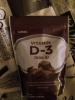
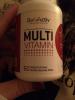
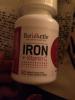
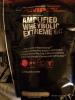
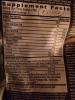
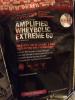
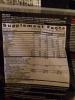
If anyone's interested I have some protein powder and vitamins. I will attach pictures so you can see exactly what the products are. Both bags of protein powder are open and missing about 1/4-1/3 of the product. The punch protein powder has an exp date of 3/2015 and the cookies one has an exp date of 2/2016. I bought them at the same time so not sure why the dates are so far apart. The vitamins are all sealed and I have two bottles of each kind pictured (except for the GNC vitamin D). They all have exp dates in 2016. I am willing to give them away but would ask for compensation for shipping if possible. Shipping through USPS for all products would be about $15 for priority mail (this includes: 2 day shipping, $50 insurance, and tracking).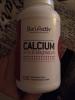
Edited by sunflowerchild