Skip to content
View in the app

A better way to browse. Learn more.

BariatricPal

A full-screen app on your home screen with push notifications, badges and more.

To install this app on iOS and iPadOS
  1. Tap the Share icon in Safari
  2. Scroll the menu and tap Add to Home Screen.
  3. Tap Add in the top-right corner.
To install this app on Android
  1. Tap the 3-dot menu (⋮) in the top-right corner of the browser.
  2. Tap Add to Home screen or Install app.
  3. Confirm by tapping Install.

Join BariatricPal free

  • Ask your own questions
  • Reply and follow topics
  • Message other members
  • No cost, no spam

Ill Show You Mine, If You Show Me Yours!

Okay, so I thought it would be fun to post pictures of NSV's. Pictures motivate me so I thought it would be fun to post all kinds of them showing an NSV. I have posted 5 examples, but they can be anything, like a seatbelt that is too big, extra room in a seat, 2 people in your old pants, etc. Funny or serious, no feat too small pictures can help us through our stalls (hey, that rhymed). We can use these pictures to reflect back on the progress by SEEING our NSVs.

Surgery Date: 3/13/12

SW: 243.6

CW: 193.6

5'5"

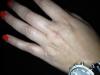
1st picture: my watch was tight when I went in for surgery

2nd picture: my feet shrunk and now my shoes are too big

3rd picture: my size 18w can be pulled down without unbuttoning

4th picture: I can't wear my wedding rings-they fall off

5th picture: I can cross my legs

Please post yours!!!!

post-22866-13813659010494_thumb.jpg

post-22866-1381365901097_thumb.jpg

post-22866-13813659011467_thumb.jpg

post-22866-13813659011992_thumb.jpg

post-22866-13813659012443_thumb.jpg

  • Replies 5
  • Views 754
  • Created
  • Last Reply

Top Posters In This Topic

Posted Images

Featured Replies

  • Author
Okay' date=' so I thought it would be fun to post pictures of NSV's. Pictures motivate me so I thought it would be fun to post all kinds of them showing an NSV. I have posted 5 examples, but they can be anything, like a seatbelt that is too big, extra room in a seat, 2 people in your old pants, etc. Funny or serious, no feat too small pictures can help us through our stalls (hey, that rhymed). We can use these pictures to reflect back on the progress by SEEING our NSVs.

Surgery Date: 3/13/12

SW: 243.6

CW: 193.6

5'5"

1st picture: my watch was tight when I went in for surgery

2nd picture: my feet shrunk and now my shoes are too big

3rd picture: my size 18w can be pulled down without unbuttoning

4th picture: I can't wear my wedding rings-they fall off

5th picture: I can cross my legs

Please post yours!!!![/quote']

For some reason some of these posted upside down. I tried again...not sure it worked.

post-22866-13813659012933_thumb.jpg

I'm not sleeved yet, buy I love your NSVs. Congrats. I think I'm looking forward to my feet shrinking the most. :)

Sent from my iPad using VST

  • Author
I'm not sleeved yet' date=' buy I love your NSVs. Congrats. I think I'm looking forward to my feet shrinking the most. :)

Sent from my iPad using VST[/quote']

Thanks!

Wow! I am so happy for you!

  • Author
Wow! I am so happy for you!

Thanks. I hope others will join me with their pictures. I'm half way to goal and can not imagine what those NSV pictures will look like.

Join the conversation

You can post now and register later. If you have an account, sign in now to post with your account.

Guest
Reply to this topic...

Account

Navigation

Search

Search

Configure browser push notifications

Chrome (Android)
  1. Tap the lock icon next to the address bar.
  2. Tap Permissions → Notifications.
  3. Adjust your preference.
Chrome (Desktop)
  1. Click the padlock icon in the address bar.
  2. Select Site settings.
  3. Find Notifications and adjust your preference.