




Start here
Where are you in your journey?
Choose the path that fits today. We’ll take you to the most useful discussions.
- GLP-1 medication Zepbound, Wegovy, access, side effects, progress, and support.
- Before surgery Compare procedures, plan ahead, and get honest pre-op answers.
- Post-op Recovery, food stages, symptoms, and support.
- Long-term Regain, labs, habits, and life after the honeymoon.
- Revision Explore revision options, complications, and next steps.
Must Try For People Who Hate Shakes
- Views 411
- Created
- Last Reply
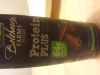
I am
[ATTACH]3454[/ATTACH]
at the point when Protein Shakes give me nausea. Now most Bolthouse Farms products only have soy Protein but this has both whey and soy and they say tha this is a great balance because the different rates of digestion and benefits. Anyways most importantly this tastes GOOD. Not the cheapest but affordable on any budget.