Skip to content
View in the app

A better way to browse. Learn more.

BariatricPal

A full-screen app on your home screen with push notifications, badges and more.

To install this app on iOS and iPadOS
  1. Tap the Share icon in Safari
  2. Scroll the menu and tap Add to Home Screen.
  3. Tap Add in the top-right corner.
To install this app on Android
  1. Tap the 3-dot menu (⋮) in the top-right corner of the browser.
  2. Tap Add to Home screen or Install app.
  3. Confirm by tapping Install.

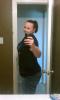
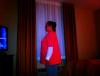
50 Lbs Down...before And After

  • Replies 12
  • Views 1.6k
  • Created
  • Last Reply

Top Posters In This Topic

Most Popular Posts

Posted Images

Featured Replies

You look awesome!!! Way to go!

you look great, and much happier

You look great. Keep up the good work.

Wow.. You look great.

You look so much younger! Beautiful - can't wait to lose my weight!

I think you look great! Keep up the good job!

Look at you!! Fantastic. I was sleeved on 1/17 and now down 54lbs. This is incentive to post photos of myself to show progress. Keep up the good works and I will too!

One Love.

You look great. Oh and Is that coco butter lotion in your picture any good?

  • Author

You look great. Oh and Is that coco butter lotion in your picture any good?

I absolutely love the coco butter! I have been using it for years because 1.) It's super cheap, 2.) It makes my skin super soft, especially after I have been out in the sun and 3.) It smells sooooo good! I often don't even wear perfume because of the yummy coconutty smell!

And thank you everyone!! I have my eyes on Onderland next!!

Congratulations!!!! Looking Good :)

Thanks for posting the pics.... they are great inspiration.

You look so happy!! Thnx for posting ur pix, they are great motivators!! :)

keepin it real ;)

Join the conversation

You can post now and register later. If you have an account, sign in now to post with your account.

Guest
Reply to this topic...

Trending Products

PatchAid Vitamin Patches

Account

Navigation

Search

Search

Configure browser push notifications

Chrome (Android)
  1. Tap the lock icon next to the address bar.
  2. Tap Permissions → Notifications.
  3. Adjust your preference.
Chrome (Desktop)
  1. Click the padlock icon in the address bar.
  2. Select Site settings.
  3. Find Notifications and adjust your preference.