




Start here
Where are you in your journey?
Choose the path that fits today. We’ll take you to the most useful discussions.
- GLP-1 medication Zepbound, Wegovy, access, side effects, progress, and support.
- Before surgery Compare procedures, plan ahead, and get honest pre-op answers.
- Post-op Recovery, food stages, symptoms, and support.
- Long-term Regain, labs, habits, and life after the honeymoon.
- Revision Explore revision options, complications, and next steps.
Gardening Questions and Pictures
- Replies 122
- Views 9.2k
- Created
- Last Reply
Top Posters In This Topic
-
paula 21 posts
-
3loves 17 posts
-
DevilMayKare 16 posts



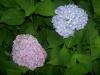


Hey guys, lets see some of your beautiful flowers, plants and gardens.
I have a question...
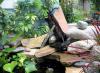
here is a picture of a maiden hair fern (sp?) that was Mom's. I wanna transplant it to the pot on the left - but hopefully you can see WHY Im having a hard time figuring out HOW to keep the root system in tact for the re-potting. Its kinda all over the pot - and little green happening. Any suggestions?