Skip to content
View in the app

A better way to browse. Learn more.

BariatricPal

A full-screen app on your home screen with push notifications, badges and more.

To install this app on iOS and iPadOS
  1. Tap the Share icon in Safari
  2. Scroll the menu and tap Add to Home Screen.
  3. Tap Add in the top-right corner.
To install this app on Android
  1. Tap the 3-dot menu (⋮) in the top-right corner of the browser.
  2. Tap Add to Home screen or Install app.
  3. Confirm by tapping Install.

Join BariatricPal free

  • Ask your own questions
  • Reply and follow topics
  • Message other members
  • No cost, no spam

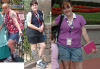
Here is a current pic of me, taken at Disney...

I am down 68 pounds, and my 9 month bandaversary is in the 28th of April. I feel like a million bucks. A year ago, I was always behind the camera, this trip I actually have lots of pictures of me....~Mandy

  • Replies 33
  • Views 2.7k
  • Created
  • Last Reply

Top Posters In This Topic

Posted Images

Featured Replies

  • Author

My daughters first trip was when she was two and she just loved being there. My nieces have been going since they were tiny and all of them love the parks. Don't wait, take her now, the look on her face when she sees the characters will be priceless. ~Mandy

Join the conversation

You can post now and register later. If you have an account, sign in now to post with your account.

Guest
Reply to this topic...

Account

Navigation

Search

Search

Configure browser push notifications

Chrome (Android)
  1. Tap the lock icon next to the address bar.
  2. Tap Permissions → Notifications.
  3. Adjust your preference.
Chrome (Desktop)
  1. Click the padlock icon in the address bar.
  2. Select Site settings.
  3. Find Notifications and adjust your preference.