




Start here
Where are you in your journey?
Choose the path that fits today. We’ll take you to the most useful discussions.
- GLP-1 medication Zepbound, Wegovy, access, side effects, progress, and support.
- Before surgery Compare procedures, plan ahead, and get honest pre-op answers.
- Post-op Recovery, food stages, symptoms, and support.
- Long-term Regain, labs, habits, and life after the honeymoon.
- Revision Explore revision options, complications, and next steps.
Lapbandtalk App For Kindle Has Launched!
- Replies 1
- Views 1.3k
- Created
- Last Reply
Top Posters In This Topic
-
lassie 1 post

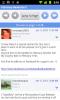
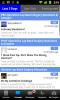
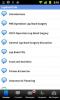
I'm excited to announce our new official LapBandTalk Kindle app!
This app makes it fun and easy to access the site while you're away from your computer. You can also take pictures with your phone and attach them directly to a thread.
The LapBandTalk Android Forum application features include:
The app is free and you can download it directly from your phone. Just open up the Android app store and search for "LapBandTalk" and you'll find the app. Then just click install.
Once it's installed, you'll have a new icon on your phone that says LapBandTalk. Click it and you'll be ready to go. Here are some screen shots:
Get the app and get ready to take LapBandTalk with you wherever you go.