Skip to content
View in the app

A better way to browse. Learn more.

BariatricPal

A full-screen app on your home screen with push notifications, badges and more.

To install this app on iOS and iPadOS
  1. Tap the Share icon in Safari
  2. Scroll the menu and tap Add to Home Screen.
  3. Tap Add in the top-right corner.
To install this app on Android
  1. Tap the 3-dot menu (⋮) in the top-right corner of the browser.
  2. Tap Add to Home screen or Install app.
  3. Confirm by tapping Install.

Join BariatricPal free

  • Ask your own questions
  • Reply and follow topics
  • Message other members
  • No cost, no spam

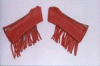
Delarla here is some new Thongs for ya!!!

I thought these were just the coolest...they even come with what ever style of bike you ride.

  • Replies 7
  • Views 765
  • Created
  • Last Reply

Top Posters In This Topic

Posted Images

Featured Replies

Hot damn alright, but do they come in my size (extra petite?) If not, I'll wear the red one as a headband. Going to that site now, and I have credit card! I love the red fringe arm chaps!

Lisa, what red fringe arm chaps?

Jolynn, I didn't find the panties at the site, but they have the cutests (and I mean cutest) selection of arm chaps: Black, red, white, studded, fringed, all sizes. But I just looked closer, and your site is hawgstuff.biz (I think I went to hogstuff.com.) Better go surf to see if .biz and .com are different companies.

Lisa, those are just cool, I will have to go to that site and check them out.

Join the conversation

You can post now and register later. If you have an account, sign in now to post with your account.

Guest
Reply to this topic...

Account

Navigation

Search

Search

Configure browser push notifications

Chrome (Android)
  1. Tap the lock icon next to the address bar.
  2. Tap Permissions → Notifications.
  3. Adjust your preference.
Chrome (Desktop)
  1. Click the padlock icon in the address bar.
  2. Select Site settings.
  3. Find Notifications and adjust your preference.