Skip to content
View in the app

A better way to browse. Learn more.

BariatricPal

A full-screen app on your home screen with push notifications, badges and more.

To install this app on iOS and iPadOS
  1. Tap the Share icon in Safari
  2. Scroll the menu and tap Add to Home Screen.
  3. Tap Add in the top-right corner.
To install this app on Android
  1. Tap the 3-dot menu (⋮) in the top-right corner of the browser.
  2. Tap Add to Home screen or Install app.
  3. Confirm by tapping Install.

Join BariatricPal free

  • Ask your own questions
  • Reply and follow topics
  • Message other members
  • No cost, no spam

LBT Charlotte Bandsters Picture Thread

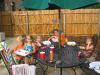
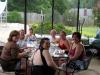
Watch us shrink! Here are our get-together pics from the first day we all met in person! Let's keep our comments on the Chat thread so those of us with the evil Dial-Up can view without washing our hair between page loads...LOL

  • Replies 53
  • Views 5.2k
  • Created
  • Last Reply

Top Posters In This Topic

Posted Images

Featured Replies

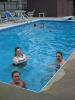
bumping for pool pics....

Ok I am going to try and post them so they aren't so big...keep your fingers crossed.

Yeah it's not to big....but is it too small? What do ya'll think...I know for a fact I was looking ruff. :scared: Everyone else was looking great!!!!

post-204715-1381313386663_thumb.jpg

How cute we are! :scared: Thanks to you Kim for hosting it, and thanks to your grandparents, and your Mom for helping out. It was a great time even though the rain got us. The girls didnt want to leave and they loved your MOM!!! Because she sent home so many goodies with them. lol

Angie

I AM SO JEALOUS! I wish I could have been there. I'm never gonna get to meet you all! You all look great, and you look like you had so much fun!

Join the conversation

You can post now and register later. If you have an account, sign in now to post with your account.

Guest
Reply to this topic...

Account

Navigation

Search

Search

Configure browser push notifications

Chrome (Android)
  1. Tap the lock icon next to the address bar.
  2. Tap Permissions → Notifications.
  3. Adjust your preference.
Chrome (Desktop)
  1. Click the padlock icon in the address bar.
  2. Select Site settings.
  3. Find Notifications and adjust your preference.