




Start here
Where are you in your journey?
Choose the path that fits today. We’ll take you to the most useful discussions.
- GLP-1 medication Zepbound, Wegovy, access, side effects, progress, and support.
- Before surgery Compare procedures, plan ahead, and get honest pre-op answers.
- Post-op Recovery, food stages, symptoms, and support.
- Long-term Regain, labs, habits, and life after the honeymoon.
- Revision Explore revision options, complications, and next steps.
New guy getting the band for xmas
- Replies 16
- Views 2.1k
- Created
- Last Reply
Top Posters In This Topic
-
65DueceCoupe 3 posts
-
jfc193 2 posts
-
JayTee562 2 posts
-
texasnewf 2 posts


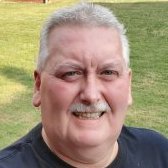
Hi all, I'm Dusty from Mt. Washington, Kentucky - just outside of Louisville. I'm so excited to be getting my band on Dec. 22. :ohmy::thumbup:
My Surgeon is Bryce Schuster. I can't wait to get the weight off and begin a healthier lifestyle.
I have a goal to learn to play ice hockey in an adult league when the wieght comes off. Just something I've always wanted to do but never was able to. Now I have a chance.
I hope to meet a lot of fellow bandsters and get advise and support.
Pre-op Pic