Skip to content
View in the app

A better way to browse. Learn more.

BariatricPal

A full-screen app on your home screen with push notifications, badges and more.

To install this app on iOS and iPadOS
  1. Tap the Share icon in Safari
  2. Scroll the menu and tap Add to Home Screen.
  3. Tap Add in the top-right corner.
To install this app on Android
  1. Tap the 3-dot menu (⋮) in the top-right corner of the browser.
  2. Tap Add to Home screen or Install app.
  3. Confirm by tapping Install.
  • Appearance

Join BariatricPal free

  • Ask your own questions
  • Reply and follow topics
  • Message other members
  • No cost, no spam

Looks like I get to call my surgeon tomorrow

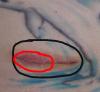
Was looking at my incisions today and noticed one was a bit puffy and off colored. I would call today but well its sunday, you know those docs and weekends, they gotta play golf sometime :Banane53:.

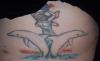
So a full pic of my incisions and a enlarged one of #5 which is the one that made my eyes bug out today.

Good thing my doc is a hottie, gives me something to look forward too when I call him tomorrow. :welldoneclap::thumbup:

post-230503-13813137061343_thumb.jpg

post-230503-13813137061776_thumb.jpg

  • Replies 7
  • Views 1k
  • Created
  • Last Reply

Top Posters In This Topic

Posted Images

Featured Replies

  • Author

LOL yeah I love how they avoided the tat also. Made me even more happy with my surgeon.

Speaking of, I just finished talking to his nurse. Since I do not have a fever, or am sick (throwing up kind of thing) they want me to just keep an eye on it. It does look better this morning so I think the swelling might have been part of the problem as the swelling has gone down quite a bit over night.

She told me to make sure I wash it really good (but gently of course) and to put a hot compress on it off and on through out the day.

Amazingly enough that is what I have been doing. Guess those years as an EMT are finally paying off :biggrin:

Join the conversation

You can post now and register later. If you have an account, sign in now to post with your account.

Guest
Reply to this topic...

Account

Navigation

Search

Search

Configure browser push notifications

Chrome (Android)
  1. Tap the lock icon next to the address bar.
  2. Tap Permissions → Notifications.
  3. Adjust your preference.
Chrome (Desktop)
  1. Click the padlock icon in the address bar.
  2. Select Site settings.
  3. Find Notifications and adjust your preference.