




Start here
Where are you in your journey?
Choose the path that fits today. We’ll take you to the most useful discussions.
- GLP-1 medication Zepbound, Wegovy, access, side effects, progress, and support.
- Before surgery Compare procedures, plan ahead, and get honest pre-op answers.
- Post-op Recovery, food stages, symptoms, and support.
- Long-term Regain, labs, habits, and life after the honeymoon.
- Revision Explore revision options, complications, and next steps.
Progression so far... let see those progression photos
- Replies 3
- Views 1.6k
- Created
- Last Reply
Top Posters In This Topic
-
sugarbee24 1 post
-
lorlybeth84 1 post
-
MountainClover 1 post



Popular Days
Most Popular Posts
-
Here's my before and after so far. Down 111lbs since 3/22/22, hoping to lose about 30 more
-
Congratulations!!! You look amazing!!!
-
You look AMAZING! Congratulations.


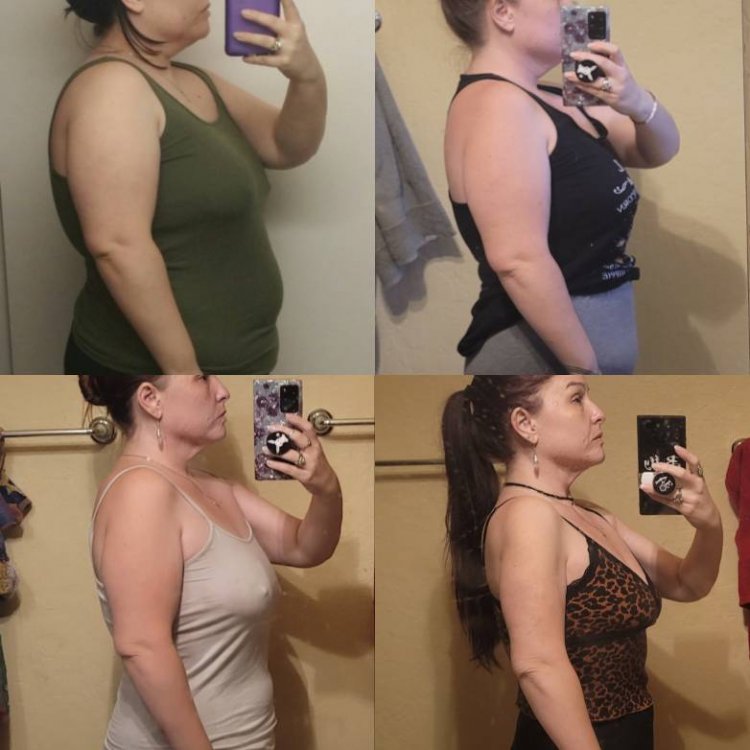
This is my progress so far 8 months post op and 18 lbs from my goal weight.
HW 225
SW 197
CW 134
HT 5'1"