Skip to content
View in the app

A better way to browse. Learn more.

BariatricPal

A full-screen app on your home screen with push notifications, badges and more.

To install this app on iOS and iPadOS
  1. Tap the Share icon in Safari
  2. Scroll the menu and tap Add to Home Screen.
  3. Tap Add in the top-right corner.
To install this app on Android
  1. Tap the 3-dot menu (⋮) in the top-right corner of the browser.
  2. Tap Add to Home screen or Install app.
  3. Confirm by tapping Install.

Join BariatricPal free

  • Ask your own questions
  • Reply and follow topics
  • Message other members
  • No cost, no spam

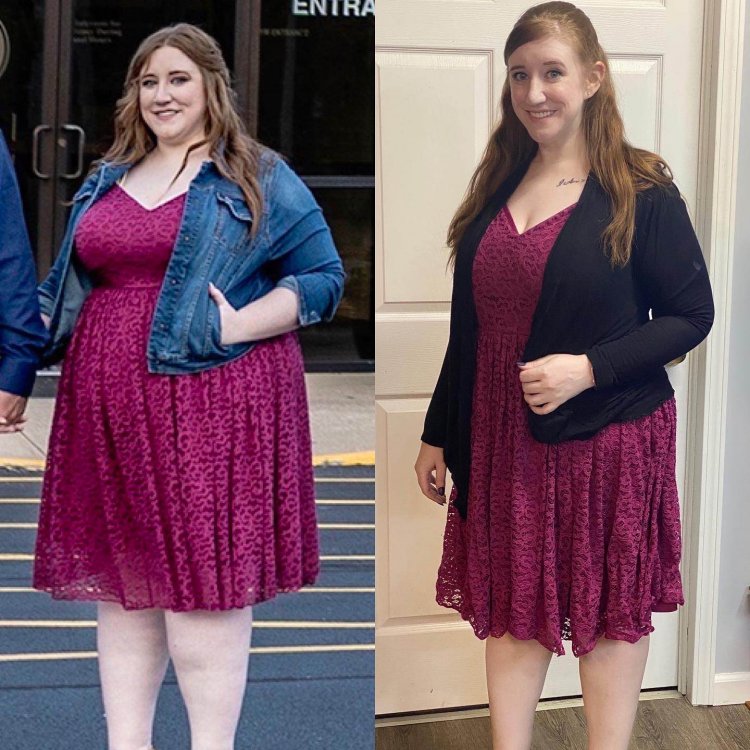
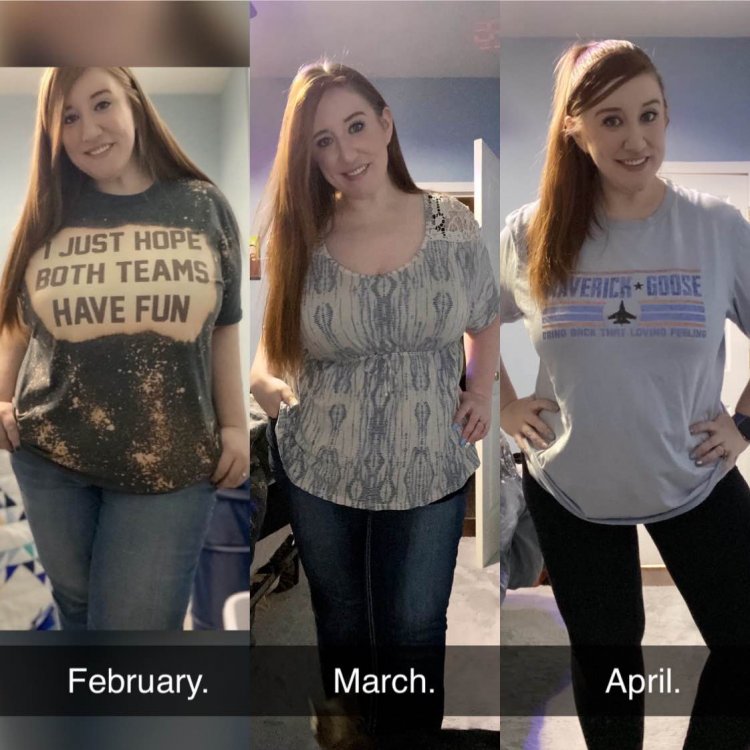
Holy cow... comparison pictures, 3 months

  • Popular Post

So I’ve been trying to get pictures every month to allow ME see the progress. I was sleeved 1/7/20. LOOK!

image0.0.jpg

  • Replies 34
  • Views 13.4k
  • Created
  • Last Reply

Top Posters In This Topic

Most Popular Posts

  • Well these pictures are a couple months old, but I started at 284 pounds and I’m 5’4. I’m now 181 in a little less than 7 months post op. So 103 pounds lost!

  • SweetpDanni
    SweetpDanni

    Absolute amazing job. I had sleeve 2/18/2020 and down almost 53lbs. starting weight 272.21

  • Rolltide87
    Rolltide87

    What's your secret to losing so fast?! Amazing!

Posted Images

Featured Replies

  • Author
  • Popular Post
On 07/26/2020 at 22:10, Thicc chick 504 said:


What weight did you start with ? What is your weight now and height?


04/20/2020 02:42 PM, alissajs said:


So I’ve been trying to get pictures every month to allow ME see the progress. I was sleeved 1/7/20. LOOK!


image0.0.jpg


Well these pictures are a couple months old, but I started at 284 pounds and I’m 5’4. I’m now 181 in a little less than 7 months post op. So 103 pounds lost!

image-0.0040531158447265625.jpg

It's a great idea. I did pics every 3 mos. in the first year and now I do them annually. It really lets you see what you might've forgotten and how far you've come.?

Edited by Postop

You look fantastic!

Edited by tahoegirl96118

Join the conversation

You can post now and register later. If you have an account, sign in now to post with your account.

Guest
Reply to this topic...

Account

Navigation

Search

Search

Configure browser push notifications

Chrome (Android)
  1. Tap the lock icon next to the address bar.
  2. Tap Permissions → Notifications.
  3. Adjust your preference.
Chrome (Desktop)
  1. Click the padlock icon in the address bar.
  2. Select Site settings.
  3. Find Notifications and adjust your preference.