Skip to content
View in the app

A better way to browse. Learn more.

BariatricPal

A full-screen app on your home screen with push notifications, badges and more.

To install this app on iOS and iPadOS
  1. Tap the Share icon in Safari
  2. Scroll the menu and tap Add to Home Screen.
  3. Tap Add in the top-right corner.
To install this app on Android
  1. Tap the 3-dot menu (⋮) in the top-right corner of the browser.
  2. Tap Add to Home screen or Install app.
  3. Confirm by tapping Install.

Join BariatricPal free

  • Ask your own questions
  • Reply and follow topics
  • Message other members
  • No cost, no spam

Cauliflower Crusted Pizza ♨️

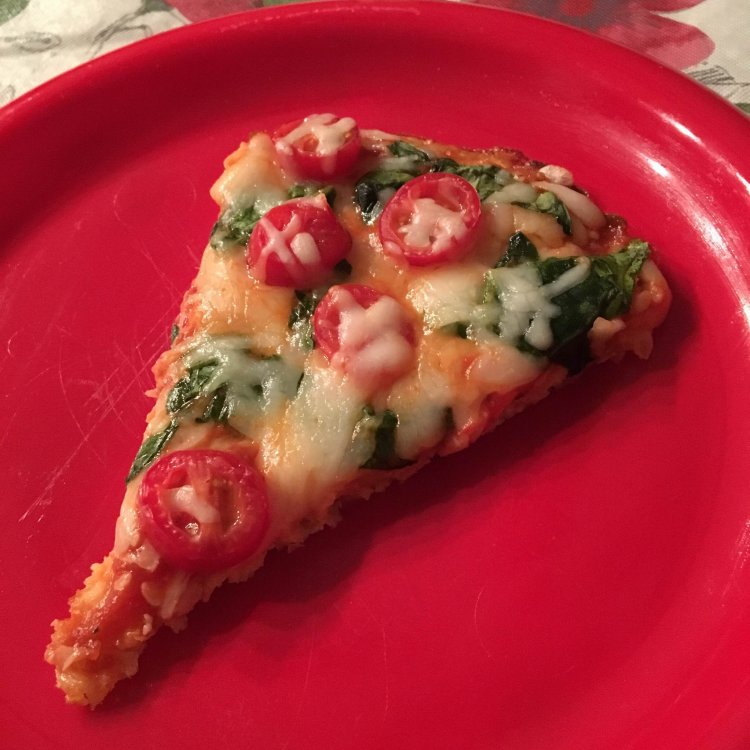
I got this Cauliflower Crusted Pizza recipe from YouTube and decided to make it; it was delicious! May I add, this is my first time cooking something that isn’t soup or mac n’ cheese. I decided to cut the portions in half since I’m sleeved. This Cauliflower Pizza is super simple and delicious!

Ingredients:

- Cheese Grater
- 1 Cup of Grated Cauliflower
- 1/2 Egg
- 1/2 Cup Parmesean
- Pizza Sauce
- Mozzarella
- Spinach
- 4 Sliced Cherry Tomatoes

Recipe Link:
https://youtu.be/XaCYSX5WE5M

image-0.00405311584472656.jpg

  • Replies 2
  • Views 4.2k
  • Created
  • Last Reply

Top Posters In This Topic

Most Popular Posts

Posted Images

Featured Replies

7 minutes ago, Ruby Hernandez said:

I got this Cauliflower Crusted pizza recipe from YouTube and decided to make it; it was delicious! May I add, this is my first time cooking something that isn’t Soup or mac n’ cheese. I decided to cut the portions in half since I’m sleeved. This Cauliflower Pizza is super simple and delicious!

Ingredients:

- Cheese Grater
- 1 Cup of Grated Cauliflower
- 1/2 Egg
- 1/2 Cup Parmesean
- Pizza Sauce
- Mozzarella
- Spinach
- 4 Sliced Cherry Tomatoes

Recipe Link:
https://youtu.be/XaCYSX5WE5M

image-0.00405311584472656.jpg

That looks wonderful!

  • Author
On 06/02/2019 at 23:12, gabybab said:


That looks wonderful!


Thank you so much! ?

Join the conversation

You can post now and register later. If you have an account, sign in now to post with your account.

Guest
Reply to this topic...

Account

Navigation

Search

Search

Configure browser push notifications

Chrome (Android)
  1. Tap the lock icon next to the address bar.
  2. Tap Permissions → Notifications.
  3. Adjust your preference.
Chrome (Desktop)
  1. Click the padlock icon in the address bar.
  2. Select Site settings.
  3. Find Notifications and adjust your preference.