




Skip to content
View in the app

A better way to browse. Learn more.

BariatricPal

A full-screen app on your home screen with push notifications, badges and more.

To install this app on iOS and iPadOS
  1. Tap the Share icon in Safari
  2. Scroll the menu and tap Add to Home Screen.
  3. Tap Add in the top-right corner.
To install this app on Android
  1. Tap the 3-dot menu (⋮) in the top-right corner of the browser.
  2. Tap Add to Home screen or Install app.
  3. Confirm by tapping Install.

Join BariatricPal free

  • Ask your own questions
  • Reply and follow topics
  • Message other members
  • No cost, no spam

What Gadgets to buy before VSG

  • Replies 3
  • Views 1.8k
  • Created
  • Last Reply

Featured Replies

Good luck with your journey!

I'd recommend a good food scale - one that can do both oz. and grams. I'm thinking of getting a second one for work. Measuring cups both for dry foods and liquids. (Dry food measures look like the big dipper and measurement is to the rim. Liquid measures have a spout and oz. marked up the side. You can actually get these at the dollar store.) Measuring spoons. 4 oz. Tupperware containers. Mine are marked at 2 oz and 4oz, so very helpful for preparing lunches. The ones I got come in an 8-pack at the grocery store and are freezer/microwave safe.

Edited by Orchids&Dragons

On 7/9/2018 at 3:50 PM, KOLongTermWin said:

I just purchased a Smart weight scale to help me track my weightloss along the way. Hoping others can share other instruments or gadgets that were veey helpful after VSG. Blenders, fitness devices.... HELP!Screenshot_20180709-124849.jpeg
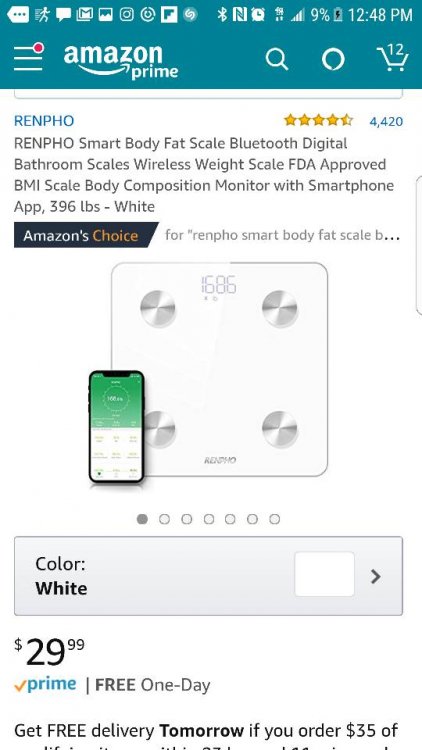
Sent from my SM-G935T using BariatricPal mobile app

I literally was just looking this up on Amazon. How do you like it??!!

  • 5 months later...

Archived

This topic is now archived and is closed to further replies.

Account

Navigation

Search

Search

Configure browser push notifications

Chrome (Android)
  1. Tap the lock icon next to the address bar.
  2. Tap Permissions → Notifications.
  3. Adjust your preference.
Chrome (Desktop)
  1. Click the padlock icon in the address bar.
  2. Select Site settings.
  3. Find Notifications and adjust your preference.