Start here
Where are you in your journey?
Choose the path that fits today. We’ll take you to the most useful discussions.
- GLP-1 medication Zepbound, Wegovy, access, side effects, progress, and support.
- Before surgery Compare procedures, plan ahead, and get honest pre-op answers.
- Post-op Recovery, food stages, symptoms, and support.
- Long-term Regain, labs, habits, and life after the honeymoon.
- Revision Explore revision options, complications, and next steps.
Hi y'all! I'm new here and need some help
- Replies 4
- Views 561
- Created
- Last Reply
Featured Replies
Archived
This topic is now archived and is closed to further replies.
Hi y'all! I'm new here well, I joined a few years ago and never interacted, and haven't gotten surgery yet.
A little about me.
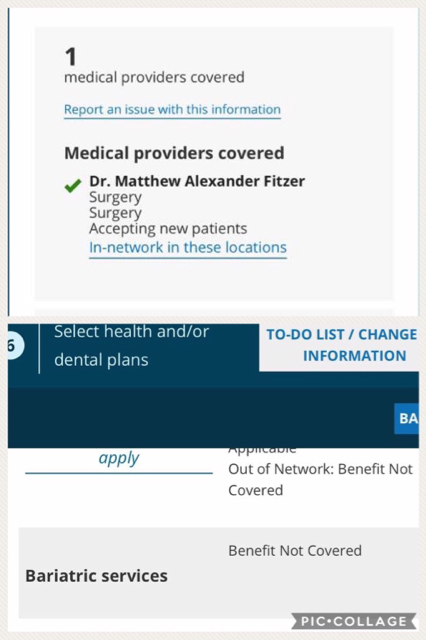
I have PCOS and chronic migraine syndrome. My BMI is about 55. With that being said, I'm looking into surgery and have found an amazing surgeon. I'm shopping around for insurance. I found a plan, and the surgeon is covered, but the plan says bariatric services are not covered (I'll post a screen shot of them) Any idea of why that could be? Would I need to go see the surgeon and have him talk to my insurance and they would need to approve me? I'm so confused lol