




Skip to content
View in the app

A better way to browse. Learn more.

BariatricPal

A full-screen app on your home screen with push notifications, badges and more.

To install this app on iOS and iPadOS
  1. Tap the Share icon in Safari
  2. Scroll the menu and tap Add to Home Screen.
  3. Tap Add in the top-right corner.
To install this app on Android
  1. Tap the 3-dot menu (⋮) in the top-right corner of the browser.
  2. Tap Add to Home screen or Install app.
  3. Confirm by tapping Install.

Join BariatricPal free

  • Ask your own questions
  • Reply and follow topics
  • Message other members
  • No cost, no spam

Happy New Year BP family/ sleeved 12/15/16

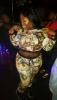
I had a wonderful time last night starting with church, then club hoping with friend, tried to eat & drink to fit in & im constantly hungry, only resulting in throwing up & my homegirl slightly mad at me cuz i KNOW BETTER!! To all 2017 sleevers, you have my blessing! WE MADE IT 2017!!!! (P.s. I haven't weight in 7 days, i was 275 a week ago) post-305406-14833155329989_thumb.jpgpost-305406-14833155428669_thumb.jpgpost-305406-1483315566327_thumb.jpg

Sent from my iPhone using the BariatricPal App

Edited by Gucci

  • Replies 1
  • Views 544
  • Created
  • Last Reply

Featured Replies

I had a wonderful time last night starting with church, then club hoping with friend, tried to eat & drink to fit in & im constantly hungry, only resulting in throwing up & my homegirl slightly mad at me cuz i KNOW BETTER!! To all 2017 sleevers, you have my blessing! WE MADE IT 2017!!!! (P.s. I haven't weight in 7 days, i was 275 a week ago) attachicon.gif ImageUploadedByBariatricPal1483315532.328137.jpgattachicon.gif ImageUploadedByBariatricPal1483315542.343955.jpgattachicon.gif ImageUploadedByBariatricPal1483315565.762798.jpg

Sent from my iPhone using the BariatricPal App

You girls rock, keep up the good work I am anticipating my wls in April or May.

Sent from my 0PM92 using the BariatricPal App

Archived

This topic is now archived and is closed to further replies.

Account

Navigation

Search

Search

Configure browser push notifications

Chrome (Android)
  1. Tap the lock icon next to the address bar.
  2. Tap Permissions → Notifications.
  3. Adjust your preference.
Chrome (Desktop)
  1. Click the padlock icon in the address bar.
  2. Select Site settings.
  3. Find Notifications and adjust your preference.