




Skip to content
View in the app

A better way to browse. Learn more.

BariatricPal

A full-screen app on your home screen with push notifications, badges and more.

To install this app on iOS and iPadOS
  1. Tap the Share icon in Safari
  2. Scroll the menu and tap Add to Home Screen.
  3. Tap Add in the top-right corner.
To install this app on Android
  1. Tap the 3-dot menu (⋮) in the top-right corner of the browser.
  2. Tap Add to Home screen or Install app.
  3. Confirm by tapping Install.

Join BariatricPal free

  • Ask your own questions
  • Reply and follow topics
  • Message other members
  • No cost, no spam

Bypass vs band and sleeve!

After plenty of research I chose something that has been tried and proven to be effective and will be better for me....its good to know all the facts so I'm just sharing some stats!!post-302237-14816624610539_thumb.jpg
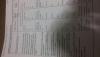
Sent from my SM-G530T using the BariatricPal App

  • Replies 7
  • Views 1.6k
  • Created
  • Last Reply

Featured Replies

I did and absolutely don't regret it. But I'm also in a position where taking supplements for the rest of my life is not an issue.

I look and feel great.

Sent from my SM-G925V using the BariatricPal App

  • 1 month later...

Thanks for the information. Having RNY surgery in April

Sent from my SM-G930T using the BariatricPal App

  • 2 weeks later...

From my experience and friends who've had surgery. Sleeve surgery quick and beginning but person never lost all their weight. The three RNY bypass lost all their weight and have maintained the weight loss.

  • 1 month later...

Yes i had RNY bypass 17 yrs ago,Lost weight even lost to much,had to have feeding tube for a while,One thing like all of the surgeries,Is Disapline,The surgery works but it is up to you to make it succeed,And that is in your head,It's a tool and can help you if you eat,drink and have will power,If you don't,Forget It within 10 to 20 pounds,Those pounds are going to creep back home,These surgery is a tool your brain makes it work.


Archived

This topic is now archived and is closed to further replies.

Account

Navigation

Search

Search

Configure browser push notifications

Chrome (Android)
  1. Tap the lock icon next to the address bar.
  2. Tap Permissions → Notifications.
  3. Adjust your preference.
Chrome (Desktop)
  1. Click the padlock icon in the address bar.
  2. Select Site settings.
  3. Find Notifications and adjust your preference.