




Start here
Where are you in your journey?
Choose the path that fits today. We’ll take you to the most useful discussions.
- GLP-1 medication Zepbound, Wegovy, access, side effects, progress, and support.
- Before surgery Compare procedures, plan ahead, and get honest pre-op answers.
- Post-op Recovery, food stages, symptoms, and support.
- Long-term Regain, labs, habits, and life after the honeymoon.
- Revision Explore revision options, complications, and next steps.
Signed paper wk surgery is happening
- Replies 1
- Views 483
- Created
- Last Reply
Featured Replies
Archived
This topic is now archived and is closed to further replies.
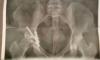
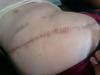
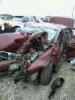
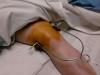
Well it's gonna happen saw my surgeon signed all the paper wk the scheduler will Call me in the morning then pre op diet and every that comes with it I'm scared to death and excited my daughters R excited too it's been a long road I'm 251 pounds 5'6 and if all goes well I will be back the size I'm supposed to be before I'm car wreck I broke my hip pelvis knee foot and my toes I can't wait to be a lil more pain free and have some sort of my life back I have no energy and I just miss my life
Sent from my SM-G530T1 using the BariatricPal App