Start here
Where are you in your journey?
Choose the path that fits today. We’ll take you to the most useful discussions.
- GLP-1 medication Zepbound, Wegovy, access, side effects, progress, and support.
- Before surgery Compare procedures, plan ahead, and get honest pre-op answers.
- Post-op Recovery, food stages, symptoms, and support.
- Long-term Regain, labs, habits, and life after the honeymoon.
- Revision Explore revision options, complications, and next steps.
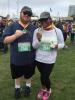
Finished a 5k this morning!
- Replies 18
- Views 1.4k
- Created
- Last Reply
Featured Replies
Archived
This topic is now archived and is closed to further replies.
I signed up for the FroYo5k a couple of weeks before surgery, and today was the day! There were a lot of people there and a ton of strollers, but in the areas where the course opened up, I ran. Not fast, but consistently. I would say I maybe ran just under half the total course. And it felt really good. My feet didn't hurt, my shins didn't burn, I was able to maintain my breathing, and I finished in less than 50 minutes! It's so much easier to move this body without an extra 52 lbs to slow me down and crush my knees. Now I feel a lot more confident about preparing for the Disneyland Half Marathon later this year.