Skip to content
View in the app

A better way to browse. Learn more.

BariatricPal

A full-screen app on your home screen with push notifications, badges and more.

To install this app on iOS and iPadOS
  1. Tap the Share icon in Safari
  2. Scroll the menu and tap Add to Home Screen.
  3. Tap Add in the top-right corner.
To install this app on Android
  1. Tap the 3-dot menu (⋮) in the top-right corner of the browser.
  2. Tap Add to Home screen or Install app.
  3. Confirm by tapping Install.

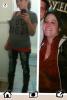
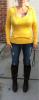
One year ago today..

  • Replies 19
  • Views 2k
  • Created
  • Last Reply

Featured Replies

I underwent my vsg surgery! Down 86lbs!! I still look in the mirror and can't believe what I see!!!

Wow you look great . Good for you .. I know you must feel like a new person . Amazing so happy to see those results . I haven't had the sleeve yet, after being big for so long it feels almost impossible that I can be normal again like you .. Congrats I know it must of been a lot of work ..

:-)))))

NOW THAT IS MOTIVATING!!!! You look amazing! I definitely know that feeling of looking in the mirror and being shocked. Cool eh? Thanks for posting your success it keeps the rest of us motivated! CONGRATS!

Congratulations! You look wonderful!!!

OMG! You are one sexy beautiful woman! Yep and it looks as if you need a smaller size jeans too..... LOL CONGRATS

CONGRATS!!! I am almost at my year mark. 11 more days I wish I was at my goal but I didn't get there ... I will in time.

You look fabulous!

Down 86lbs!!

Michellefaina

WooHoo, how great are you?? :)

86 lbs - gone, gone, and gone, down the toilet - FLUSH!!! :D

you are at goal, right???

btw - that happy, smiling face in the mirror - yes it really YOU :)

deal with it girlfriend :lol:

happy surgiversary :)

congrats on your great new healthier, happier, longerrrrr life :)

Archived

This topic is now archived and is closed to further replies.

Trending Products

PatchAid Vitamin Patches

Account

Navigation

Search

Search

Configure browser push notifications

Chrome (Android)
  1. Tap the lock icon next to the address bar.
  2. Tap Permissions → Notifications.
  3. Adjust your preference.
Chrome (Desktop)
  1. Click the padlock icon in the address bar.
  2. Select Site settings.
  3. Find Notifications and adjust your preference.