Start here
Where are you in your journey?
Choose the path that fits today. We’ll take you to the most useful discussions.
- GLP-1 medication Zepbound, Wegovy, access, side effects, progress, and support.
- Before surgery Compare procedures, plan ahead, and get honest pre-op answers.
- Post-op Recovery, food stages, symptoms, and support.
- Long-term Regain, labs, habits, and life after the honeymoon.
- Revision Explore revision options, complications, and next steps.
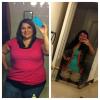
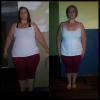
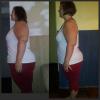
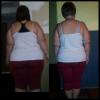
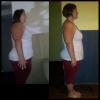
Bye Bye Stall 3 Pds 166 From 223 W/pic Update
- Replies 17
- Views 2.8k
- Created
- Last Reply
Top Posters In This Topic
-
Living again 11/17/2011 9 posts
-
christin 2 posts
-
Shoppingbeemom 1 post
-
Liliana Arleen 1 post




Most Popular Posts
-
Congratulations! I broke a major stall today as well! Isn't it great when that happens? You are looking great!
-
You look awesome. What is your goal?
-
Congratulations on your success. What exercise did you do? How much weight have you lost in total? Has the exercise helped with excess skin? What about hair lost was it much? Sorry for all the questio






I BROKE THE STALL I DID LOOSE 2 PDS LAST WEEK INTO 169 NOW 166 YAY GETTING THERE