




Start here
Where are you in your journey?
Choose the path that fits today. We’ll take you to the most useful discussions.
- GLP-1 medication Zepbound, Wegovy, access, side effects, progress, and support.
- Before surgery Compare procedures, plan ahead, and get honest pre-op answers.
- Post-op Recovery, food stages, symptoms, and support.
- Long-term Regain, labs, habits, and life after the honeymoon.
- Revision Explore revision options, complications, and next steps.
VSG -9/21/11 - Sharing My Hospital Room Experience
- Replies 1
- Views 1.1k
- Created
- Last Reply
Top Posters In This Topic
-
pparks3215 1 post




Hello VSG Family,
I had my surgery on 09/21/11 in Juarez, MX. My surgeon was Dr. Jose Rodriguez and staff! Fantastic people!!! I would do it again if I got the same set of people. I am 3 weeks out, and down 22lbs.
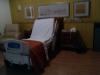
*Note: My photos have not been edited. They will load up to a large size on your screen. ("Close button is on the bottom right hand side.")They were taken on my cell phone while I was in the hospital, so please excuse any darkness and discrepencies.
I get alot of questions like; What was it like? (Great Experience for me) Have you ever been there before? (Nope! Had to get a Passport and everything.) Where you scared? (Of course, but I needed this surgery -- so fear was not an option!)
Keep in touch all..
*Note: There were 2 bathrooms in my room.
*Note: There were 2 tv's in my room also.