




Start here
Where are you in your journey?
Choose the path that fits today. We’ll take you to the most useful discussions.
- GLP-1 medication Zepbound, Wegovy, access, side effects, progress, and support.
- Before surgery Compare procedures, plan ahead, and get honest pre-op answers.
- Post-op Recovery, food stages, symptoms, and support.
- Long-term Regain, labs, habits, and life after the honeymoon.
- Revision Explore revision options, complications, and next steps.
Oyster Run 2011
- Views 1.5k
- Created
- Last Reply

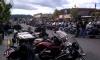
Last weekend hubby and I had the chance to take a beautiful ride up the coast and through the islands of Washington State to Annacortes for the 2011 Oyster Run rally. We were blessed with spectacular scenery and rain seen only from afar! lol
Here are a couple pics; the first is downtown Annacortes and the pic captures just a fraction of the crowd! There were easily, 1000's of bikes and even more people! The second pic is me on the bridge at deception pass. It's a gorgeous ride and if you ever get up to the beautiful NW, I can't recommend it enough!