




Start here
Where are you in your journey?
Choose the path that fits today. We’ll take you to the most useful discussions.
- GLP-1 medication Zepbound, Wegovy, access, side effects, progress, and support.
- Before surgery Compare procedures, plan ahead, and get honest pre-op answers.
- Post-op Recovery, food stages, symptoms, and support.
- Long-term Regain, labs, habits, and life after the honeymoon.
- Revision Explore revision options, complications, and next steps.
Beyond Broth is now available at the BariatricPal Store!
- Views 849
- Created
- Last Reply
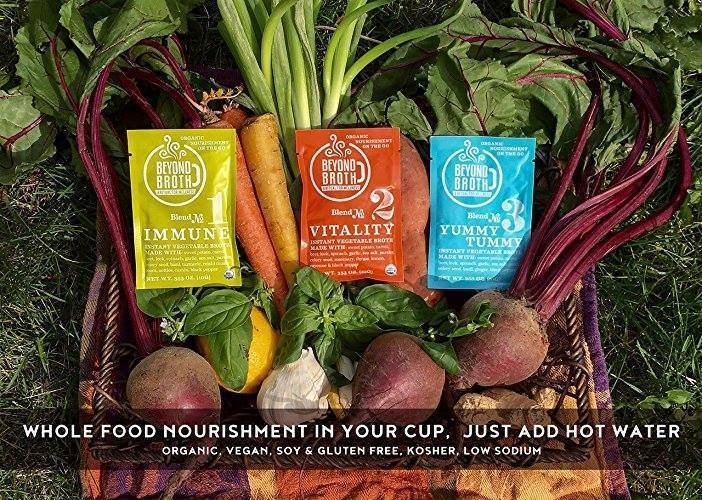
Beyond Broth is now available at the BariatricPal Store!
Beyond Broth is Instant Organic Vegan Broth with wellness herbs to enjoy anytime, anywhere!
Beyond Broth was created to fit perfectly into your daily wellness ritual. These nutritious, instant vegan broths are a healthy and functional solution when you’re managing today’s often too-busy lifestyle, but not willing to sacrifice good health along the way.
Made from all-natural organic ingredients, Beyond Broth supports your vitality and well-being. Perfect at home or out and about. Toss a few single serving packets into your purse, briefcase or backpack next time you head off to work, school, camping, hiking, or wherever life may take you. Beyond Broth uses natural ingredients that are high in healthy nutrients.
Whether you need a snack, a side or a mini-meal all it’s own, just add boiling water and in two short minutes you’ll be savoring one of our wholesome, nourishing broths. Stir often as contents settles...no chemicals added to dissolve the yummy veggies!