Skip to content
View in the app

A better way to browse. Learn more.

BariatricPal

A full-screen app on your home screen with push notifications, badges and more.

To install this app on iOS and iPadOS
  1. Tap the Share icon in Safari
  2. Scroll the menu and tap Add to Home Screen.
  3. Tap Add in the top-right corner.
To install this app on Android
  1. Tap the 3-dot menu (⋮) in the top-right corner of the browser.
  2. Tap Add to Home screen or Install app.
  3. Confirm by tapping Install.

Before and after

  • Replies 49
  • Views 3.8k
  • Created
  • Last Reply

Featured Replies

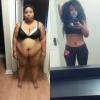
Dang! What a cute figure you have! Great job!

You have done such a great job so far!! Keep it up and you will make your goal!!

You look amazing! Way to go.

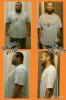
320 to 180 lbs

@@jackiemc1987

sneaky you LOL

tucking in your tummy and thighs in your pants LOL

besides loosing 140 lbs - you are also a smarty pants :)

hard work pays off

lovely pics

keep up the great work

i know you will!!

kathy

congrats

@@telltell624

I wanted to comment on you also from page 3

Happy one year surgiversary

please fix yours stats!!!

you started at 371 - now 226!!

145 lbs gone!!!

great transformation pics (profile page)

you look great -_-

keep up the good job

kathy

congrats

Wow @@telltell624 that is a stunning transformation! Congrats!

@@jackiemc1987 how long did it take for your stomach to go down? Mine is going down very little and that's where my only problem is my stomach.

  • 1 year later...

great

Archived

This topic is now archived and is closed to further replies.

Trending Products

PatchAid Vitamin Patches

Account

Navigation

Search

Search

Configure browser push notifications

Chrome (Android)
  1. Tap the lock icon next to the address bar.
  2. Tap Permissions → Notifications.
  3. Adjust your preference.
Chrome (Desktop)
  1. Click the padlock icon in the address bar.
  2. Select Site settings.
  3. Find Notifications and adjust your preference.