Skip to content
View in the app

A better way to browse. Learn more.

BariatricPal

A full-screen app on your home screen with push notifications, badges and more.

To install this app on iOS and iPadOS
  1. Tap the Share icon in Safari
  2. Scroll the menu and tap Add to Home Screen.
  3. Tap Add in the top-right corner.
To install this app on Android
  1. Tap the 3-dot menu (⋮) in the top-right corner of the browser.
  2. Tap Add to Home screen or Install app.
  3. Confirm by tapping Install.
  • Appearance

Join BariatricPal free

  • Ask your own questions
  • Reply and follow topics
  • Message other members
  • No cost, no spam

Single Digits...i Finally Made It!

  • Replies 23
  • Views 2.3k
  • Created
  • Last Reply

Top Posters In This Topic

Most Popular Posts

  • TinyMamiOf3kids
    TinyMamiOf3kids

    Congratulations & I love single digit numbers. I'm a size 4 I love it.

  • Super! I'm feeling more inspired seeing every ones stories! I'm 8 hours away from surgery..ready to roll!

  • Wow, how much did you lose? Sent from my iPhone using RNYTalk

Posted Images

Featured Replies

Congratulations!!! I agree with you on the last 20lbs. I have 10 more to go and I myself will have lost 120lbs. Those last 10 are being stubborn! Lol! But I'm not giving up! Gotta keep on keeping on!!! Again, congratulations on your weight loss and single digit pants!! What an accomplishment!!! ;)

  • Author
Congratulations!!! I agree with you on the last 20lbs. I have 10 more to go and I myself will have lost 120lbs. Those last 10 are being stubborn! Lol! But I'm not giving up! Gotta keep on keeping on!!! Again' date=' congratulations on your weight loss and single digit pants!! What an accomplishment!!! ;)[/quote']

Thanks so much and congrats to you too. That's awesome!

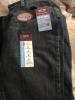
Bought my first pair of single digits sized pants...yay!!!! So proud of myself!

Omg, Wow! Yeah

SD: 10/10/12, Converted from Lapband to RNY, HW (before band) 263, HW (RNY) 230, Preop 219, after surgery 223, current 201

Join the conversation

You can post now and register later. If you have an account, sign in now to post with your account.

Guest
Reply to this topic...

Account

Navigation

Search

Search

Configure browser push notifications

Chrome (Android)
  1. Tap the lock icon next to the address bar.
  2. Tap Permissions → Notifications.
  3. Adjust your preference.
Chrome (Desktop)
  1. Click the padlock icon in the address bar.
  2. Select Site settings.
  3. Find Notifications and adjust your preference.