Skip to content
View in the app

A better way to browse. Learn more.

BariatricPal

A full-screen app on your home screen with push notifications, badges and more.

To install this app on iOS and iPadOS
  1. Tap the Share icon in Safari
  2. Scroll the menu and tap Add to Home Screen.
  3. Tap Add in the top-right corner.
To install this app on Android
  1. Tap the 3-dot menu (⋮) in the top-right corner of the browser.
  2. Tap Add to Home screen or Install app.
  3. Confirm by tapping Install.
  • Appearance

Join BariatricPal free

  • Ask your own questions
  • Reply and follow topics
  • Message other members
  • No cost, no spam

MyFitnessPal.com Members

Hi Everyone,

I am a fellow lap-bander (banded October '09) and I use MyFitnessPal.com to track my foods, exercise and weight loss goals. It's a great tool. Are any of you members? It is free, if you are interested.

If you are members or become members, what do you think of becoming "buddies" on this site so we can look at what each other eats and excercise, etc. for help and tips?

Reply here or PM me if you're interested. I can give you my email address and you can look it up on Myfitnesspal.com so we can be linked.

Be well,

Renee

  • Replies 2.7k
  • Views 268.6k
  • Created
  • Last Reply

Top Posters In This Topic

Most Popular Posts

  • My name there is karibrenmom and I would love to have more sleeve friends! I think its a great way to get food ideas! I am preop for another week!

  • FIVE WEEK PROJECTION: You will be gorgeous and amazing, just like you are today. Work it, baby!

  • mommymaverick
    mommymaverick

    Looking for some banded pals! My screen name is prondeau on myfitnesspal. It's a good way to track your food and activity... I ned to get back on track. Add me if you use it!


Posted Images

Featured Replies

I don't understand how all this works. Can someone explain it to me? I went there, and I couldn't see how you interact with friends, etc. I can only see where I log in my food.

I don't have a smart phone. I use a lap top.

I don't understand how all this works. Can someone explain it to me? I went there, and I couldn't see how you interact with friends, etc. I can only see where I log in my food.

I don't have a smart phone. I use a lap top.

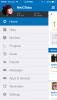
I use my phone and my laptop and sometimes desktop. When you go to the site, you should originally see your "home" which has a menu on the left side with "track food" "track exercise' etc - then in the middle of that page you should see a box with your calories & such and under that is a "news feed" if you have friends on there, the news feed will show different things about the friends like when we enter exercise or finish our food log for the day or weigh in.

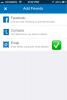
To add friends, it is kind of tricky. You have to go to the Community Tab and then there is a little sub menu where you choose "find members" - when that loads, there is a spot where you can put in someone's user name to find them & then you have to click "add friend" to actually send an add request.

I hope that helps.

By the way, I'm mygastricsleevelife there.

I use my phone and my laptop and sometimes desktop. When you go to the site, you should originally see your "home" which has a menu on the left side with "track food" "track exercise' etc - then in the middle of that page you should see a box with your calories & such and under that is a "news feed" if you have friends on there, the news feed will show different things about the friends like when we enter exercise or finish our food log for the day or weigh in.

To add friends, it is kind of tricky. You have to go to the Community Tab and then there is a little sub menu where you choose "find members" - when that loads, there is a spot where you can put in someone's user name to find them & then you have to click "add friend" to actually send an add request.

I hope that helps.

By the way, I'm mygastricsleevelife there.

Officially, I love you Mom Scholar!

Here is a consolidated listing of everyone who has shared their login so far, so that it's easy to add w/o having to scan through all pages of responses.

VST name/MFP name

MzPecanBrown/MzPecanBrown

jenn298/jfull0828

isntsheclever/isntsheclever

LeLe/lelebug79

fell4falls/fell4falls

ToddG/Koolaid677

aaeactive_gm/aeactive_gm

NancyJerry/njerry

kayte819/Kayte819

wishes/wish3s

lessofme2010/soon2change

jeepgirlchase/Jeepgirlchase

Wonderwoman/kll72

AngieGO410/Bkmom77

spadesmcloven/Krystenmlee

FatGirlSlim/FatGirlSlim33

RMS/rsmotivated

Stacey Nicole/staceynicole82

Missmarbe/MissMarbe

newtonya2012/newtonya2012

Ramses/AhronR

rodswife/Rodswife12

Netgallegos/netgallegos

PrncsDebbie/DebbieB825

Bubbaloo10/Bubbaloo10

mrsflyboybs/mrsflyboybs

Dud2Stud/primo007

kcage/kcage1

Wheetsin/Wheetsin

DDFinn/ddfinn

Doreykn/Doreykn

hellonurse/ChargersForever

Saint_Sammie/saintsammie

LMJ/Imjlite

dnicewife/dnicewifeval

MomScholar/mygastricsleevelife

Hmm that's weird, I've been added (from someone on this thread before). I'm trying to add everyone now, but apparently there's a limit of 5 new friend requests per 10 minutes. Grr...

I'm definitely Wheetsin there... let me see if I can add you.

Thanks for this Wheetsin. I just made a post asking if it can be pinned so we have one central location to add MFP usernames too. They could pin this one since you consolidated the names so far. However, if they pin mine, we can copy and paste your list there.

BTW, I'm BackToAmy on MFP

Join the conversation

You can post now and register later. If you have an account, sign in now to post with your account.

Guest
Reply to this topic...

Account

Navigation

Search

Search

Configure browser push notifications

Chrome (Android)
  1. Tap the lock icon next to the address bar.
  2. Tap Permissions → Notifications.
  3. Adjust your preference.
Chrome (Desktop)
  1. Click the padlock icon in the address bar.
  2. Select Site settings.
  3. Find Notifications and adjust your preference.