Skip to content
View in the app

A better way to browse. Learn more.

BariatricPal

A full-screen app on your home screen with push notifications, badges and more.

To install this app on iOS and iPadOS
  1. Tap the Share icon in Safari
  2. Scroll the menu and tap Add to Home Screen.
  3. Tap Add in the top-right corner.
To install this app on Android
  1. Tap the 3-dot menu (⋮) in the top-right corner of the browser.
  2. Tap Add to Home screen or Install app.
  3. Confirm by tapping Install.
  • Appearance

Join BariatricPal free

  • Ask your own questions
  • Reply and follow topics
  • Message other members
  • No cost, no spam

A New Me.

  • Popular Post

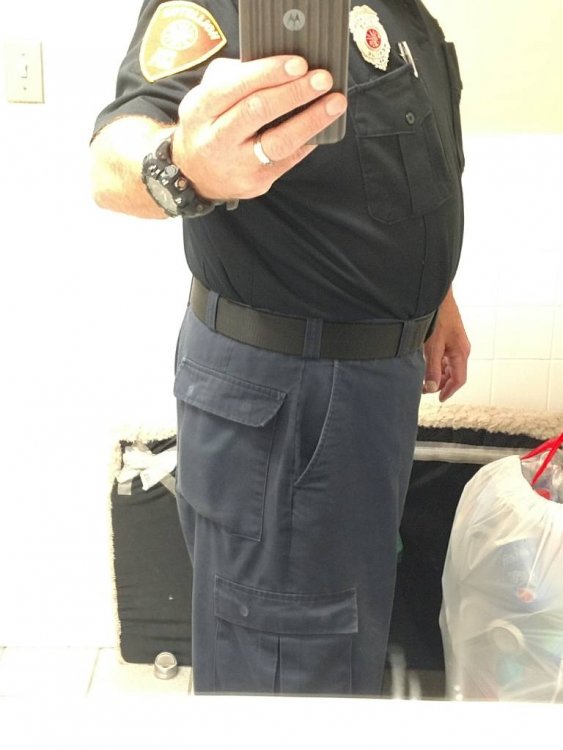
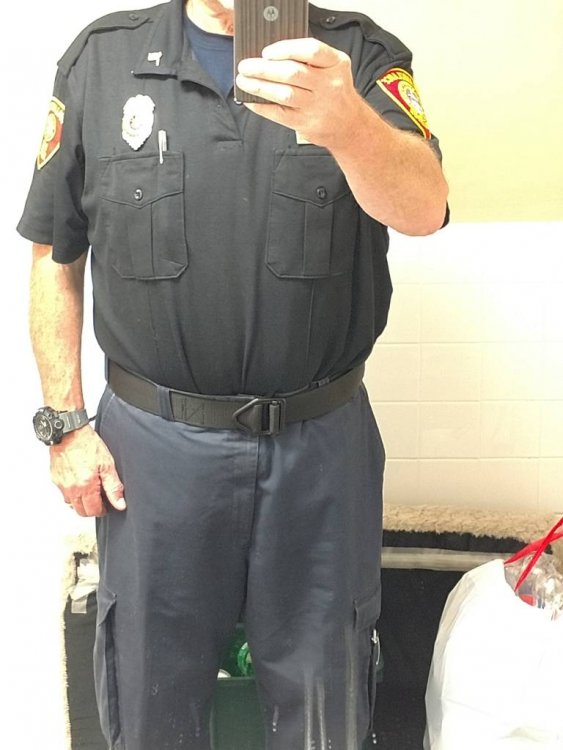
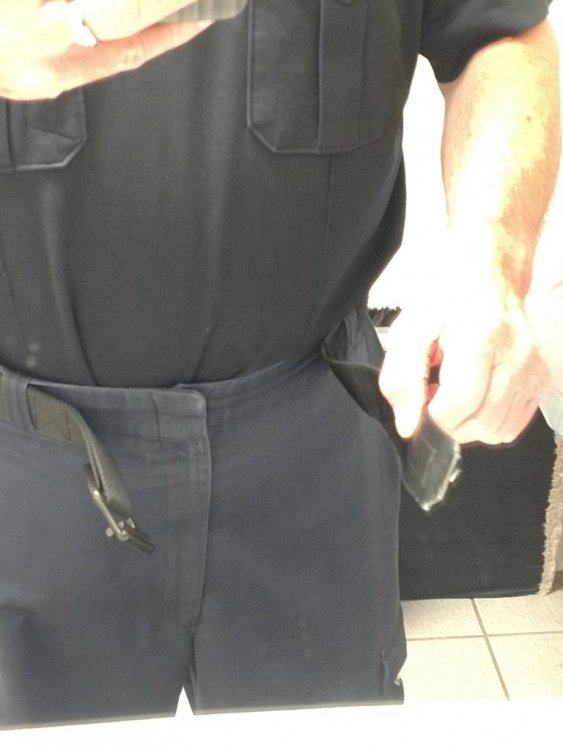
Prior to 20-May I couldn't feed the end of this belt through the buckle. My thumb references where the end of the belt now ends.

Fortunately I had a couple of pairs of uniform pants tucked away from before my huge weight gain. These are now getting to big. I see new uniforms and belt in the near future.

I'm kinda liking the new me.

#journeyofalifetimeIMG_20190704_084902543.jpegIMG_20190704_084940781.jpegIMG_20190704_085047920.jpegIMG_20190704_085149462.jpeg
  • Replies 16
  • Views 2.2k
  • Created
  • Last Reply

Top Posters In This Topic

Most Popular Posts

Posted Images

Featured Replies

Congrats!! :)

Congrats!!! That's fantastic!!!

Wow that’s amazing!

Edited by 2ndTimeFreedom

And you will continue to be Mr Amazing for you have the grit to continue on! God Bless your endeavours and may you reach all your goals!???
????????

Awesome!

Good work.... Luckily my department went to polo and Tshirts , so I can leave my shirt untucked and hide waist line lol

Congratulations

Looking good skinny!!!!!! Keep up the good work bro...

Join the conversation

You can post as a guest; create a free account to track replies, follow topics, and be part of the largest weight loss surgery community.

Join the conversation

You can post now and register later. If you have an account, sign in now to post with your account.

Guest
Reply to this topic...

Account

Navigation

Search

Search

Configure browser push notifications

Chrome (Android)
  1. Tap the lock icon next to the address bar.
  2. Tap Permissions → Notifications.
  3. Adjust your preference.
Chrome (Desktop)
  1. Click the padlock icon in the address bar.
  2. Select Site settings.
  3. Find Notifications and adjust your preference.