Skip to content
View in the app

A better way to browse. Learn more.

BariatricPal

A full-screen app on your home screen with push notifications, badges and more.

To install this app on iOS and iPadOS
  1. Tap the Share icon in Safari
  2. Scroll the menu and tap Add to Home Screen.
  3. Tap Add in the top-right corner.
To install this app on Android
  1. Tap the 3-dot menu (⋮) in the top-right corner of the browser.
  2. Tap Add to Home screen or Install app.
  3. Confirm by tapping Install.

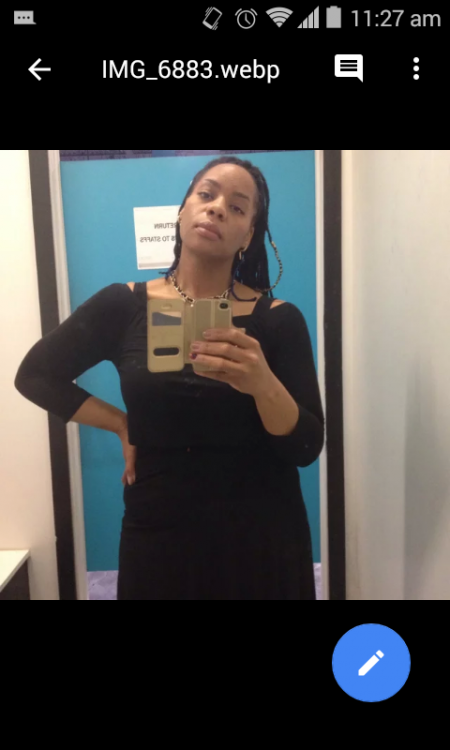
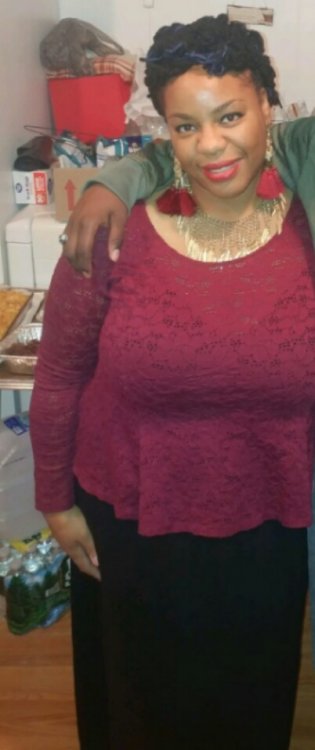
6 months post VSG

  • Replies 29
  • Views 3.8k
  • Created
  • Last Reply

Featured Replies

Wow!!! Nice progress!

Nice work!

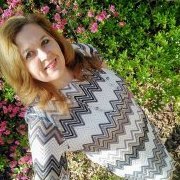
You look great! First thing I noticed is how much more confident you look in the second picture, nice job and keep it up!

Great transformation.

Congrats!

Amazing! Great job!

And FWIW, I don't see anything resembling a pregnancy belly bump!

WOW! Great job!!! Such a difference!!

  • Author
47 minutes ago, abefroman329 said:

And FWIW, I don't see anything resembling a pregnancy belly bump!

Lol the power of black clothing strikes again!


Wow! You look fantastic!


HW: 225
SW: 214 (5/2/2018)
CW: 208
GW: 145

Wow, amazing results! Congrats :452_medal:


Thanks for sharing both pics. That is a big difference in only six months. Congrats!


Woot! Nice work!

Archived

This topic is now archived and is closed to further replies.

Trending Products

PatchAid Vitamin Patches

Account

Navigation

Search

Search

Configure browser push notifications

Chrome (Android)
  1. Tap the lock icon next to the address bar.
  2. Tap Permissions → Notifications.
  3. Adjust your preference.
Chrome (Desktop)
  1. Click the padlock icon in the address bar.
  2. Select Site settings.
  3. Find Notifications and adjust your preference.