
Skip to content
View in the app

A better way to browse. Learn more.

BariatricPal

A full-screen app on your home screen with push notifications, badges and more.

To install this app on iOS and iPadOS
  1. Tap the Share icon in Safari
  2. Scroll the menu and tap Add to Home Screen.
  3. Tap Add in the top-right corner.
To install this app on Android
  1. Tap the 3-dot menu (⋮) in the top-right corner of the browser.
  2. Tap Add to Home screen or Install app.
  3. Confirm by tapping Install.

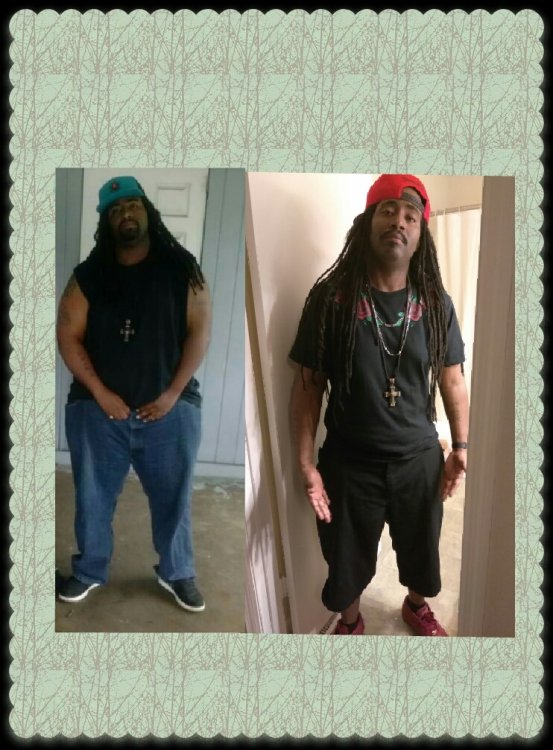
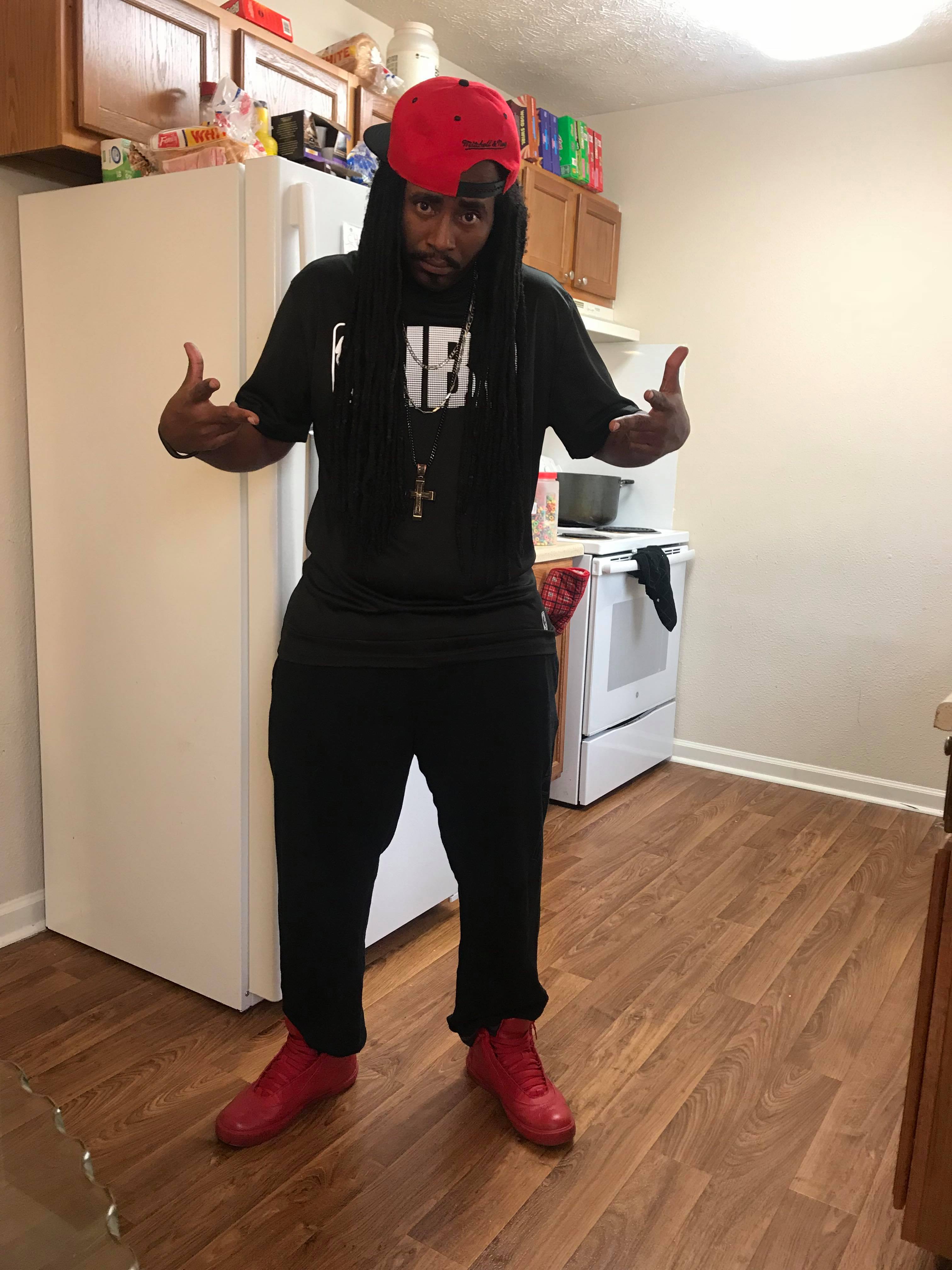
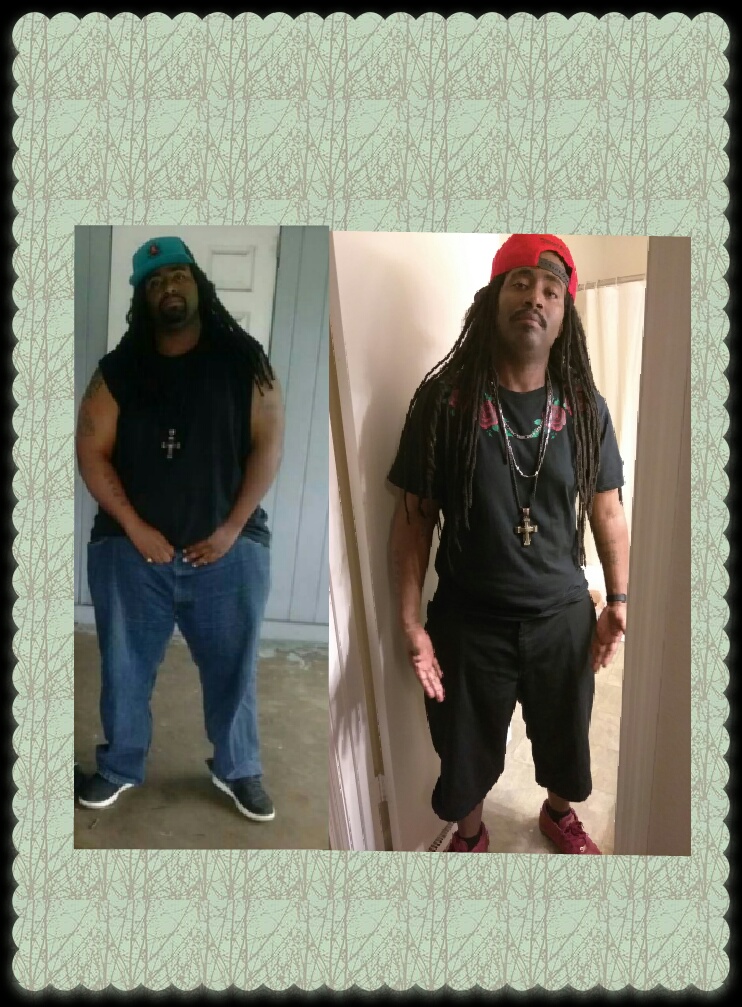
11 month post-op

received_851257351713598.thumb.jpeg.e1a0b1ee804541db3d8513a060fbd7b0.jpeg

Puzzle_1522039914915.jpg

  • Replies 16
  • Views 1.9k
  • Created
  • Last Reply

Featured Replies

  • Author

Sure does and thanks

6 minutes ago, Mrfeelgood said:

received_851257351713598.thumb.jpeg.e1a0b1ee804541db3d8513a060fbd7b0.jpeg

Puzzle_1522039914915.jpg

11 months post op and 168 down! Fantastic work. What tip's or changes helped you to get the results that you have?

Also tips on lose skin please, you’ve done a great job

  • Author

I actually went seafood crazy the last 5 months and I eat steamed shrimp or broiled just like fish either streamed or broiled and I still walk 3 to 5 miles a day and do some weight training

  • Author

My body didn't allow me to enjoy beans much and at first I was able to eat mashed potatoes and baked but now baked bothers me and I sautee onions and green peppers alot and eat a little corn

Dude. You're fly! 168lbs in less than a year!!! Damn Batman!!! Congrats and what an inspiration.

Going to the freezer and chucking all the chuck. Note to self: only eat fish and shrimp forevs...

The End! :D

Looking great! Great job!!

Sent from my LGMP450 using BariatricPal mobile app

@Mrfeelgood

hey guy!!

lovin' your blue red swade shoes!!

great before and after pics

168 lbs gone

you are aces!:rolleyes:

kathy

congrats

Wow ! Nice job! You look great!


HW 242, SW 236- (Bypass 12/20/17)
GW#1- 199 [emoji736] (2/11/18)
GW#2- 175
CW 183
5’6”

You are our hero. Thanks and great job


Archived

This topic is now archived and is closed to further replies.

Trending Products

PatchAid Vitamin Patches

Account

Navigation

Search

Search

Configure browser push notifications

Chrome (Android)
  1. Tap the lock icon next to the address bar.
  2. Tap Permissions → Notifications.
  3. Adjust your preference.
Chrome (Desktop)
  1. Click the padlock icon in the address bar.
  2. Select Site settings.
  3. Find Notifications and adjust your preference.