Skip to content
View in the app

A better way to browse. Learn more.

BariatricPal

A full-screen app on your home screen with push notifications, badges and more.

To install this app on iOS and iPadOS
  1. Tap the Share icon in Safari
  2. Scroll the menu and tap Add to Home Screen.
  3. Tap Add in the top-right corner.
To install this app on Android
  1. Tap the 3-dot menu (⋮) in the top-right corner of the browser.
  2. Tap Add to Home screen or Install app.
  3. Confirm by tapping Install.

Pics

  • Replies 16
  • Views 1.5k
  • Created
  • Last Reply

Featured Replies

You're looking great there! Congrats!

Congratulations, you look fabulous. Keep up the good work :D

I don't mean to hijack this thread but I had a fight with my mother today regarding not wanting to take a picture with my grandmother. I just don't like having my picture taken. At all. With anyone. Even celebrities (don't ask long story). Will that change?

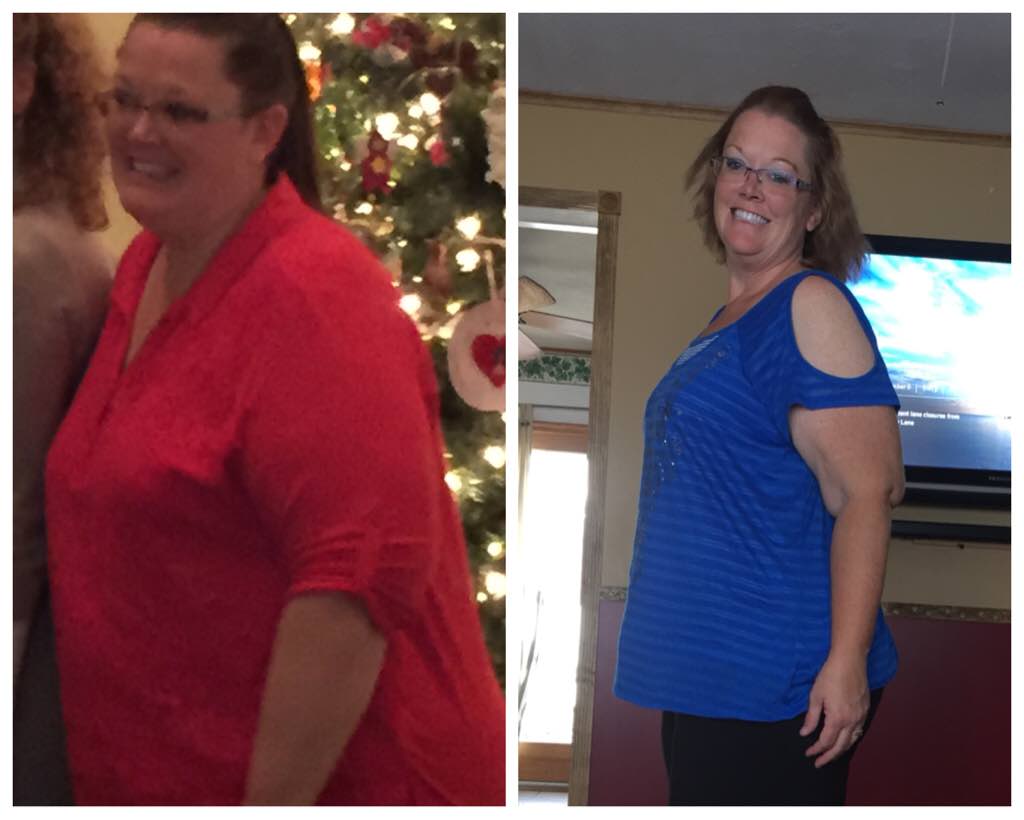
attachicon.gifImageUploadedByBariatricPal1443284958.593641.jpgbefore and after. 3 months post op.

Wow! Huge difference in a very short time! Congratulations on your success!

@jesskrismom Very noticeable difference! You are doing great!

Great job!

I don't mean to hijack this thread but I had a fight with my mother today regarding not wanting to take a picture with my grandmother. I just don't like having my picture taken. At all. With anyone. Even celebrities (don't ask long story). Will that change?

Yes. Or at least you won't mind it as much...

I still nitpick myself in pictures at 147 pounds and a size 6. My brain still needs to catch up with the reality of being thinner. But that's a whole other thread :P

That's an awesome difference, congrats! !!

If you don't mind, will you share what your diet looks like? I Just started soft foods after 2 weeks, and feeling I won't lose weight because I am eating too much :(

Archived

This topic is now archived and is closed to further replies.

Trending Products

PatchAid Vitamin Patches

Account

Navigation

Search

Search

Configure browser push notifications

Chrome (Android)
  1. Tap the lock icon next to the address bar.
  2. Tap Permissions → Notifications.
  3. Adjust your preference.
Chrome (Desktop)
  1. Click the padlock icon in the address bar.
  2. Select Site settings.
  3. Find Notifications and adjust your preference.