Skip to content
View in the app

A better way to browse. Learn more.

BariatricPal

A full-screen app on your home screen with push notifications, badges and more.

To install this app on iOS and iPadOS
  1. Tap the Share icon in Safari
  2. Scroll the menu and tap Add to Home Screen.
  3. Tap Add in the top-right corner.
To install this app on Android
  1. Tap the 3-dot menu (⋮) in the top-right corner of the browser.
  2. Tap Add to Home screen or Install app.
  3. Confirm by tapping Install.

Still loosing

  • Replies 15
  • Views 1.4k
  • Created
  • Last Reply

Featured Replies

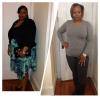
And you should. You look stunning!!!

You're working that sleeve. Great results! Posts like yours are so encouraging. Thank you!

Amazing! Awesome job :)

You're looking fantastic!!

WooHoo!!! Looking GREAT!!

You look so great! Congratulations! :)

You look amazing!!! Need to invest in me a personal trainer...keep up the good work!

Wow! You look lovely!

That's my problem I didn't do that wasn't that dedicated started out at 315 now 250.... What type of exercises did you do if u don't mind telling me.. Not going to lie walked a lil in the beginning but this passed month I been on it! I'm just saying u did that if u lose 20 or 40 more you still going to look good. Congrats

Archived

This topic is now archived and is closed to further replies.

Account

Navigation

Search

Search

Configure browser push notifications

Chrome (Android)
  1. Tap the lock icon next to the address bar.
  2. Tap Permissions → Notifications.
  3. Adjust your preference.
Chrome (Desktop)
  1. Click the padlock icon in the address bar.
  2. Select Site settings.
  3. Find Notifications and adjust your preference.