Skip to content
View in the app

A better way to browse. Learn more.

BariatricPal

A full-screen app on your home screen with push notifications, badges and more.

To install this app on iOS and iPadOS
  1. Tap the Share icon in Safari
  2. Scroll the menu and tap Add to Home Screen.
  3. Tap Add in the top-right corner.
To install this app on Android
  1. Tap the 3-dot menu (⋮) in the top-right corner of the browser.
  2. Tap Add to Home screen or Install app.
  3. Confirm by tapping Install.

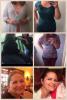
Before and during collage

Best thing I have ever done for myself! 47 pounds gone forever! Got to Onederland today!!

SW 246 CW 199 GW 150

post-57326-13838397104076_thumb.jpg

  • Replies 13
  • Views 1.1k
  • Created
  • Last Reply

Featured Replies

Best thing I have ever done for myself! 47 pounds gone forever! Got to Onederland today!! SW 246 CW 199 GW 150

Whoa girl! Check out those curves! Way to go!

Wow! You go girl!

  • Author

Thanks girls! I'm about half way done. Unbelievable!! I was very lucky to have it covered by my insurance. I am thankful everyday!

MandaPanda you look wonderful, thanks for sharing your victory with us!! Keep up the great work too!

  • Author

Now only if my brain would catch up with my body. I see the difference in the pictures but not in the mirror. Bought the green shirt today (great deal only $6) which is a large and I was sure it was not going to fit for awhile... But it did. So crazy.

Your shape is FANTASTIC!! Congratulations you look awesome.

Best thing I have ever done for myself! 47 pounds gone forever! Got to Onederland today!!

SW 246 CW 199 GW 150

When was ur surgery..u look awesome

You look so healthy and beautiful!

Love the fact that you have hips and it shows your great shape! Congratulations!!!

You are doing fantastic! I can't wait to reach Onederland myself.

Archived

This topic is now archived and is closed to further replies.

Trending Products

PatchAid Vitamin Patches

Account

Navigation

Search

Search

Configure browser push notifications

Chrome (Android)
  1. Tap the lock icon next to the address bar.
  2. Tap Permissions → Notifications.
  3. Adjust your preference.
Chrome (Desktop)
  1. Click the padlock icon in the address bar.
  2. Select Site settings.
  3. Find Notifications and adjust your preference.