



Join BariatricPal free
- Ask your own questions
- Reply and follow topics
- Message other members
- No cost, no spam

A better way to browse. Learn more.
A full-screen app on your home screen with push notifications, badges and more.
Join BariatricPal free
Find support for your bariatric or GLP-1 journey. Save helpful conversations and take part when you are ready.
Choose your email preferences on the registration form.
Already a member? Sign in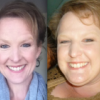
Here is a poem I wrote. I am sure we can all relate to it. Hope you enjoy it!
The Little Things
To cross my legs so comfortably Or say “Oh yes, a booth please” To tuck in my shirt To wear a belt It’s the little things indeed
To walk up steps or maybe run And still be able to breathe To shop in any store I want It’s the little things indeed
To finally come from behind the camera And take a picture of me To look in the mirror and love what I see It’s the little things indeed
To get on the scale and finally see That place I have been longing to be Onederland, what a beautiful place It’s the little things indeed
And finally you see it, that 4 letter word GOAL, can it really be You did it, you did it, You fought hard to break free This is your Victory!