Skip to content
View in the app

A better way to browse. Learn more.

BariatricPal

A full-screen app on your home screen with push notifications, badges and more.

To install this app on iOS and iPadOS
  1. Tap the Share icon in Safari
  2. Scroll the menu and tap Add to Home Screen.
  3. Tap Add in the top-right corner.
To install this app on Android
  1. Tap the 3-dot menu (⋮) in the top-right corner of the browser.
  2. Tap Add to Home screen or Install app.
  3. Confirm by tapping Install.

Fun with Photography

  • Replies 21
  • Views 2k
  • Created
  • Last Reply

Featured Replies

Looking awesome! I certainly hope I'll be able to trade my food addiction for a workout addiction as well!

You look fantastic!

Looking awesome! I certainly hope I'll be able to trade my food addiction for a workout addiction as well!

That is definitely achievable if you desire it. A lot of people transfer their eating addiction to exercising. Being healthy is such a game changer and positive experience.

Looking awesome! I certainly hope I'll be able to trade my food addiction for a workout addiction as well!

Guilty! I love working out now. I look forward to the next day as soon as I'm done with the days workout! It uses to be I'd look forward to my next meal while not even done with the current :-/
  • Author

Guilty! I love working out now. I look forward to the next day as soon as I'm done with the days workout! It uses to be I'd look forward to my next meal while not even done with the current :-/
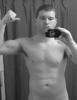
Yea If I don't get a workout in I just don't feel right

Archived

This topic is now archived and is closed to further replies.

Account

Navigation

Search

Search

Configure browser push notifications

Chrome (Android)
  1. Tap the lock icon next to the address bar.
  2. Tap Permissions → Notifications.
  3. Adjust your preference.
Chrome (Desktop)
  1. Click the padlock icon in the address bar.
  2. Select Site settings.
  3. Find Notifications and adjust your preference.