Skip to content
View in the app

A better way to browse. Learn more.

BariatricPal

A full-screen app on your home screen with push notifications, badges and more.

To install this app on iOS and iPadOS
  1. Tap the Share icon in Safari
  2. Scroll the menu and tap Add to Home Screen.
  3. Tap Add in the top-right corner.
To install this app on Android
  1. Tap the 3-dot menu (⋮) in the top-right corner of the browser.
  2. Tap Add to Home screen or Install app.
  3. Confirm by tapping Install.

106 pounds and counting

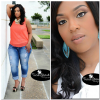
Yesterday was my 10 month surgiversary. I'm down 106 pounds and I couldn't be happier!! I hit a little stall and then dropped three pounds this week. Keep pushing everybody.

post-33295-13813665377697_thumb.png

  • Replies 21
  • Views 3.1k
  • Created
  • Last Reply

Featured Replies

You look absolutely beautiful!! :) Such pretty pictures too!

You look absolutely marvelous my dear! Congratulations :-)

Beautiful!

Just lovely, keep up the good work.

You're GORGEOUS!!! Happy re-Birth day! ;-)

Simply Beautiful

  • Author

Thank you all so much!!

Amazing!

You should be a model! You are beautiful! Congratulations!

Congrats you have done awesome look great

Sexilicious!! You look so good!! Nice job!! :)

You should be a model! You are beautiful! Congratulations!

I so agree with your thoughts! She really should be! She's stunning!

Yesterday was my 10 month surgiversary. I'm down 106 pounds and I couldn't be happier!! I hit a little stall and then dropped three pounds this week. Keep pushing everybody.

Wow. So pretty you always were now just a little less of you... Good luck!!!

  • 2 weeks later...

Beautiful!

Stunning and nice makeup. Have to remember you when I take my after shots.

Archived

This topic is now archived and is closed to further replies.

Trending Products

PatchAid Vitamin Patches

Account

Navigation

Search

Search

Configure browser push notifications

Chrome (Android)
  1. Tap the lock icon next to the address bar.
  2. Tap Permissions → Notifications.
  3. Adjust your preference.
Chrome (Desktop)
  1. Click the padlock icon in the address bar.
  2. Select Site settings.
  3. Find Notifications and adjust your preference.