Skip to content
View in the app

A better way to browse. Learn more.

BariatricPal

A full-screen app on your home screen with push notifications, badges and more.

To install this app on iOS and iPadOS
  1. Tap the Share icon in Safari
  2. Scroll the menu and tap Add to Home Screen.
  3. Tap Add in the top-right corner.
To install this app on Android
  1. Tap the 3-dot menu (⋮) in the top-right corner of the browser.
  2. Tap Add to Home screen or Install app.
  3. Confirm by tapping Install.
  • Appearance

Join BariatricPal free

  • Ask your own questions
  • Reply and follow topics
  • Message other members
  • No cost, no spam

Started My Video Log Diary Finally Youtube

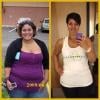
I finally made my first youtube video.. It's not a very long one.. i was just talking off the top of my head.. now i see why people write down the points they want to talk about.. hopefully they will be better.. i'm just excited to see myself get smaller and smaller on the screen. I will make my hubby take video of me when we go to Mexico and in the hospital... ..

Are you all getting excited.. may is just around the corner!!!!!!!!!!!! yipeeeeeee!!!

Holly

  • Replies 8
  • Views 1.1k
  • Created
  • Last Reply

Top Posters In This Topic

Most Popular Posts

  • BeautyVGSJourney
    BeautyVGSJourney

    I am doing one, trish will probably also record my surgery! (the outside part) but I might not put it on until I get back to texas the 15.

Featured Replies

  • Author

I hope to make some while i'm there and will try to capture videos of the hospital and the aftermath now if my throat would quit hurting.. seriously i start to get a sore throat today??? uggg... Hope it's only allergies but it sure feels real sore.....

Join the conversation

You can post now and register later. If you have an account, sign in now to post with your account.

Guest
Reply to this topic...

Account

Navigation

Search

Search

Configure browser push notifications

Chrome (Android)
  1. Tap the lock icon next to the address bar.
  2. Tap Permissions → Notifications.
  3. Adjust your preference.
Chrome (Desktop)
  1. Click the padlock icon in the address bar.
  2. Select Site settings.
  3. Find Notifications and adjust your preference.