Skip to content
View in the app

A better way to browse. Learn more.

BariatricPal

A full-screen app on your home screen with push notifications, badges and more.

To install this app on iOS and iPadOS
  1. Tap the Share icon in Safari
  2. Scroll the menu and tap Add to Home Screen.
  3. Tap Add in the top-right corner.
To install this app on Android
  1. Tap the 3-dot menu (⋮) in the top-right corner of the browser.
  2. Tap Add to Home screen or Install app.
  3. Confirm by tapping Install.

Just Crossed Over

  • Replies 8
  • Views 1.2k
  • Created
  • Last Reply

Top Posters In This Topic

Featured Replies

That is fabulous! Isn't it funny how we can always remember what weight we were when? I do the exact same thing :-) Keep up the good work! I can't wait to be sleeved and start having such great successes!

  • Author

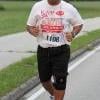
Thank you everyone for the compliment. It has been an interesting journey that I do not regret. I am posting pictures to show my progress. Pam I know that you are going to do well with your surgery. Please let me know how it goes. Thank you also MlkPas you are doing well yourself.

lbourgeoisjr-albums-after-surgery-picture2501t-leo-299-pounds.jpg

WOW!!!! You must be super proud of yourself. Enjoy the feeling. That's a big accomplishment. Continued success!!! :D

Care to share your carb count and exercise program?

Deb

I have just crossed over to 299 pounds. I have not been this weight since 2002. I am now 99 pounds away from my goal. I am so excited.

how exciting! Congratulations! Doesn't this just make you want to yell it from the roof top! YIPPEEEEEEEE

toyguy, some of us lose really really fast, then we hit plateaus and are right there with y'all. . . for example at my 7 week doctor appt i had lost 53lbs. . . now i've lost 110 lbs and it's REALLY REALLY slow. . . but at least i'm not gaining right?

Join the conversation

You can post now and register later. If you have an account, sign in now to post with your account.

Guest
Reply to this topic...

Account

Navigation

Search

Search

Configure browser push notifications

Chrome (Android)
  1. Tap the lock icon next to the address bar.
  2. Tap Permissions → Notifications.
  3. Adjust your preference.
Chrome (Desktop)
  1. Click the padlock icon in the address bar.
  2. Select Site settings.
  3. Find Notifications and adjust your preference.