Skip to content
View in the app

A better way to browse. Learn more.

BariatricPal

A full-screen app on your home screen with push notifications, badges and more.

To install this app on iOS and iPadOS
  1. Tap the Share icon in Safari
  2. Scroll the menu and tap Add to Home Screen.
  3. Tap Add in the top-right corner.
To install this app on Android
  1. Tap the 3-dot menu (⋮) in the top-right corner of the browser.
  2. Tap Add to Home screen or Install app.
  3. Confirm by tapping Install.
  • Appearance

Join BariatricPal free

  • Ask your own questions
  • Reply and follow topics
  • Message other members
  • No cost, no spam

Cant Believe I Use To Eat This Way Smh

  • Replies 16
  • Views 2.4k
  • Created
  • Last Reply

Top Posters In This Topic

Most Popular Posts

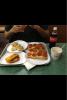
  • Even now without restriction I have changed what I consider 'a lot of food' to be. I could probably put away a whole pizza easy before and still have a tonne of dessert, and now if I have 2 pieces, I

  • Allison0927
    Allison0927

    i was gonna say the food looked awesome but obviously way too much and i could never get down all that bread/pizza crust if i tried - but it was pretty to look at (food porn LOL!!!!)

  • Hell yes it tastes good or we'd never have gotten heavy lol. But it tastes just as good with one bite as 20 bites. That's what I figured out over the years. (Except when I have chocolate shhhh)
Posted Images

Featured Replies

Join the conversation

You can post now and register later. If you have an account, sign in now to post with your account.

Guest
Reply to this topic...

Account

Navigation

Search

Search

Configure browser push notifications

Chrome (Android)
  1. Tap the lock icon next to the address bar.
  2. Tap Permissions → Notifications.
  3. Adjust your preference.
Chrome (Desktop)
  1. Click the padlock icon in the address bar.
  2. Select Site settings.
  3. Find Notifications and adjust your preference.