




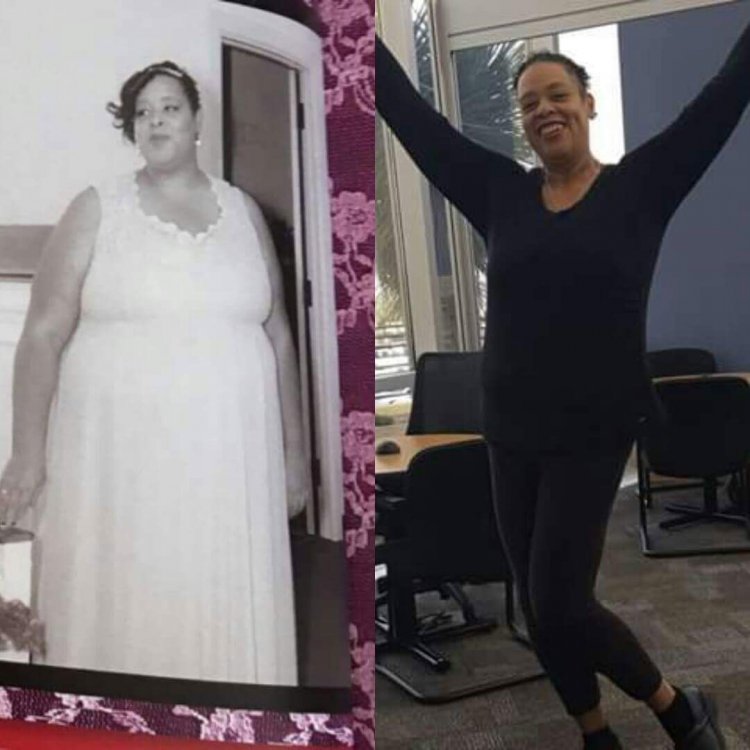
8 months after sleeve
- Replies 12
- Views 1.6k
- Created
- Last Reply
Top Posters In This Topic
-
The New Kel 1 post
-
ckittrell 1 post
-
Resha 1 post
-
chunkymunkey916 1 post




Most Popular Posts
-
You know what I love most about these updates....all of the beaming smiles!!! ?????Congrats on your loss!!!

Posted Images
Featured Replies
Join the conversation
You can post as a guest; create a free account to track replies, follow topics, and be part of the largest weight loss surgery community.
My weight loss journey started in 2010 when I weighed 386 pounds. I became stagnant and didn't lose any weight for several years after I lost the initial 100 pounds.
I got the sleeve in June of 2016 and it saved my life.
Learning how to eat again has been fiffucult. Learning how to eat around my food addiction has been especially difficult.
But im happier than I've ever been and I'm going to run a 5k next month!