Skip to content
View in the app

A better way to browse. Learn more.

BariatricPal

A full-screen app on your home screen with push notifications, badges and more.

To install this app on iOS and iPadOS
  1. Tap the Share icon in Safari
  2. Scroll the menu and tap Add to Home Screen.
  3. Tap Add in the top-right corner.
To install this app on Android
  1. Tap the 3-dot menu (⋮) in the top-right corner of the browser.
  2. Tap Add to Home screen or Install app.
  3. Confirm by tapping Install.
  • Appearance

Join BariatricPal free

  • Ask your own questions
  • Reply and follow topics
  • Message other members
  • No cost, no spam

Fit bit

  • Replies 17
  • Views 1.1k
  • Created
  • Last Reply

Top Posters In This Topic

Most Popular Posts

  • I got the charge hr when I first started my journey in April. It helps keep you motivated for exercise, and group challenges are great too. Sent from my iPhone using the BariatricPal App

  • I do own a FitBit Blaze and it is awesome. I love the app because it allows you to track your food, Water intake and of course your activity! Before I purchased the Blaze, I had a FitBit Flex as well

  • I have the charge 2! I love it. If you are thinking as a gift to yourself......I say it's a perfect gift. Sent from my iPhone using the BariatricPal App

Posted Images

Featured Replies

Big fan of my charge hr! First one got beat up and they replaced it no charge. It can be a wonderful motivator and help you see just how much more you are doing.

My weight-loss has slowed down, which is normal. My fit bit helps me focus on getting in my active minutes/workouts and building more consistent healthy habits. Attempting to take the focus off the scale and more on getting in the activity my body needs.

Fun feature on the charge hr. Other fitbits probably have it too but want to share cause it took me months to figure out.

A workout timer. Hold down the little button on the side until you get a little buzz and see a little stop watch. Stop the timer the same way when you are finished.

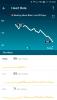
I was getting frustrated because it wasn't always registering my workouts. If I have 60 continuous active minutes, you think it would recognize it as some sort of workout. It didn't. Anyway logging the workouts like this, in the app you can easily see the steps taken, active minutes and your heart for the work out.

All the best to you!

Sent from my SAMSUNG-SM-G930A using the BariatricPal App

Join the conversation

You can post now and register later. If you have an account, sign in now to post with your account.

Guest
Reply to this topic...

Account

Navigation

Search

Search

Configure browser push notifications

Chrome (Android)
  1. Tap the lock icon next to the address bar.
  2. Tap Permissions → Notifications.
  3. Adjust your preference.
Chrome (Desktop)
  1. Click the padlock icon in the address bar.
  2. Select Site settings.
  3. Find Notifications and adjust your preference.