



Surgery in the morning!
- Replies 3
- Views 411
- Created
- Last Reply
Top Posters In This Topic
-
jblkmom 1 post
-
anaxila 1 post
-
onmywaytobeingfound 1 post

A better way to browse. Learn more.
A full-screen app on your home screen with push notifications, badges and more.
Join BariatricPal free
Find support for your bariatric or GLP-1 journey. Save helpful conversations and take part when you are ready.
Choose your email preferences on the registration form.
Already a member? Sign in
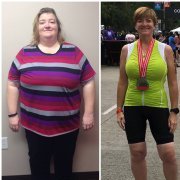

I'm ready to go, I think. I am nervous, mostly about the first couple weeks, but I've got my head around all the new lifestyle changes. I've been reading all the posts, and hope all of us January folks have fairly easy recoveries. My kids are going to their grandparents for a few days, and my husband seems all set up to help me out. I'm hoping to feel well enough by the weekend to play a lot of video games and watch old movies.