Skip to content
View in the app

A better way to browse. Learn more.

BariatricPal

A full-screen app on your home screen with push notifications, badges and more.

To install this app on iOS and iPadOS
  1. Tap the Share icon in Safari
  2. Scroll the menu and tap Add to Home Screen.
  3. Tap Add in the top-right corner.
To install this app on Android
  1. Tap the 3-dot menu (⋮) in the top-right corner of the browser.
  2. Tap Add to Home screen or Install app.
  3. Confirm by tapping Install.

Down 150 lbs

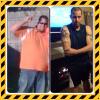
I've lost 150lbs in 9 months! My start weight was 397 and currently weigh 243! I got 43lbs till I hit my goal weight! The weight loss has slowed down significantly but I'm still grinding everyday and eating healthy! Hope y'all are doing well also!

post-176904-0-81401400-1391093457_thumb.jpg

  • Replies 15
  • Views 2.4k
  • Created
  • Last Reply

Featured Replies

Nice job! Congrats on the success!

  • Author

Thanks so much! I'm trying to get down to 200 so I can say I'm literally half the man I used to be lol

Wow..You look amazing!!!!!!! congratulations on your success!!!!

Thanks for the inspiration!

Way to go! You look great.

Fantastic!!

Congrats! You look fantastic!!

Awesome job!!!

You look great!! You will reach your goal before you know it! Then you will fight off the ladies!

Edited by BellaHugz

Woohoo!!!

You look great!! You will reach your goal before you know it! Then you will fight off the ladies!

Those biceps will help in the fight! Great job!

I've lost 150lbs in 9 months! My start weight was 397 and currently weigh 243! I got 43lbs till I hit my goal weight! The weight loss has slowed down significantly but I'm still grinding everyday and eating healthy! Hope y'all are doing well also!

Congratulations!!!!!

  • Author

Thanks for all the kind words! It's most definitely is a journey! I still got a long way to go, it's funny because my mind hasn't caught up with my body lol I still feel like a Big Dude ha

Archived

This topic is now archived and is closed to further replies.

Trending Products

PatchAid Vitamin Patches

Account

Navigation

Search

Search

Configure browser push notifications

Chrome (Android)
  1. Tap the lock icon next to the address bar.
  2. Tap Permissions → Notifications.
  3. Adjust your preference.
Chrome (Desktop)
  1. Click the padlock icon in the address bar.
  2. Select Site settings.
  3. Find Notifications and adjust your preference.