Skip to content
View in the app

A better way to browse. Learn more.

BariatricPal

A full-screen app on your home screen with push notifications, badges and more.

To install this app on iOS and iPadOS
  1. Tap the Share icon in Safari
  2. Scroll the menu and tap Add to Home Screen.
  3. Tap Add in the top-right corner.
To install this app on Android
  1. Tap the 3-dot menu (⋮) in the top-right corner of the browser.
  2. Tap Add to Home screen or Install app.
  3. Confirm by tapping Install.

Add your before/current pic here!

Because I LOVE looking at before and afters, here's a thread to add them to!!

post-21673-13813812750225_thumb.png

  • Replies 83
  • Views 7.1k
  • Created
  • Last Reply

Featured Replies

You all look fantastic!

Everyone looks fantastic! Can't wait to see that much difference in myself as well!

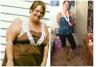
9 months post op HW: 322 CW:191 GW: 165 total lost so far: 131lbs! Height: 5'9

post-36036-13813812833207_thumb.jpg

9 months post op HW: 322 CW:191 GW: 165 total lost so far: 131lbs! Height: 5'9

I just can't get over how fabulous you look at 9 months post op! You are so inspiring to me!

10 weeks post op. HW: 328 SW: 312 CW: 268 GW: 150.... Soooo excited to be skinny! Lol

post-32888-13813812834199_thumb.jpg

Everyone looks awesome!

Start Weight 260 lbs Current Weight 154 lbs Goal Weight 140 lbs

post-29473-13813812835549_thumb.jpg

post-27574-13813812838304_thumb.jpg

post-27574-13813812839111_thumb.jpg

Starting Weight- 366

Day of Surgery-302. (March 4,2013)

Today's Weight- 216

Goal Weight- 155-160

Forgot to add above:-)

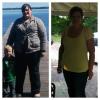
Me a couple weeks ago. And me about a year ago. Down 110 pounds surgery date 10/4/12

You look great really pretty congrats! :)

Looking amazing!! So inspiring

9 months post op HW: 322 CW:191 GW: 165 total lost so far: 131lbs! Height: 5'9

Omg!! Cant get over this everybody looks amazing hope that can be me soon! :)

Archived

This topic is now archived and is closed to further replies.

Trending Products

PatchAid Vitamin Patches

Account

Navigation

Search

Search

Configure browser push notifications

Chrome (Android)
  1. Tap the lock icon next to the address bar.
  2. Tap Permissions → Notifications.
  3. Adjust your preference.
Chrome (Desktop)
  1. Click the padlock icon in the address bar.
  2. Select Site settings.
  3. Find Notifications and adjust your preference.